Language Reactorが動かない? 原因と対処法まとめ
最終更新日:
NetflixやYouTubeで語学の勉強をしようとしているのに、Language Reactorがフリーズする、エラーが出る、そもそも読み込まれない。そんな状況に困っているのはあなただけではありません。
最近、不具合やサーバー障害が続いているという報告が多くのユーザーから寄せられています。読み込み画面から進まない場合も、赤いエラーメッセージが並んでいる場合も、このガイドでLanguage Reactorのよくある不具合の対処法と、サーバーが完全に停止しているときにできることをまとめました。
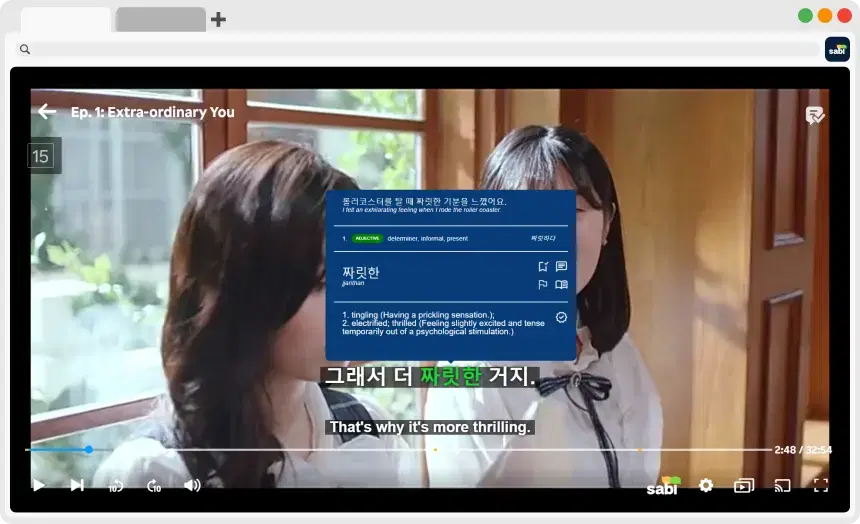
💡 今すぐ使いたいなら? Language Reactorのサーバーが停止している場合、ブラウザ側の対処ではどうにもなりません。Sabiは活発にメンテナンスされている代替ツールで、NetflixとYouTubeに加え、Language Reactorが対応していないDisney+、Prime Video、Vikiでもデュアル字幕と単語の瞬時翻訳が使えます。
🚨 よくあるエラーと対処法
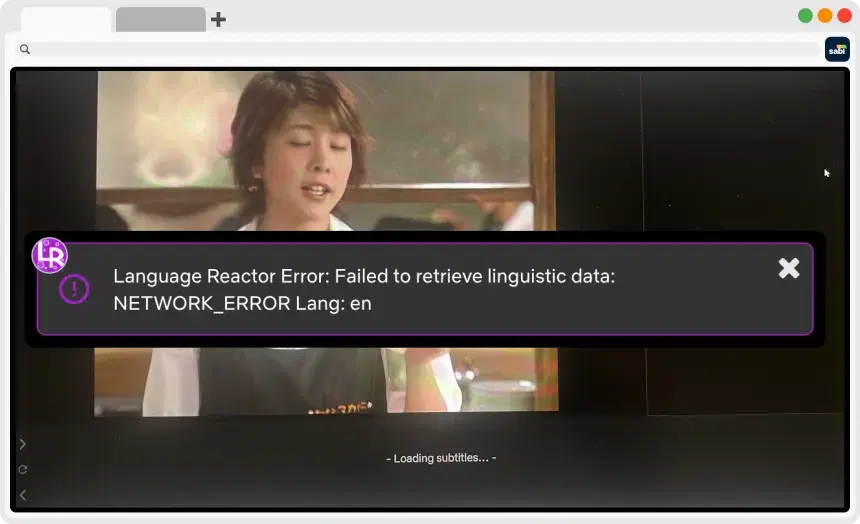
1. 「Failed to retrieve linguistic data: NETWORK_ERROR」

現在、あらゆる言語でもっとも多く報告されているエラーメッセージです(「NETWORK_ERROR Lang: en」や「NETWORK_ERROR Lang: ja」のように表示されることが多いです)。
— ⚠️ 原因: ほとんどの場合、Language Reactor側のサーバー(バックエンド)の障害です。つまりサーバーが停止していて、辞書や翻訳のデータを取得できない状態です。
— 🛠️ 対処法: 残念ながらサーバー側の問題なので、基本的には開発者がサーバーを復旧するのを待つしかありません。制限の厳しいVPNがAPIへの接続をブロックしていることもあるため、VPNを使っている場合はオフにしてみてください。
2. 「Failed to fetch translations」や「Loading subtitles, please wait」から進まない
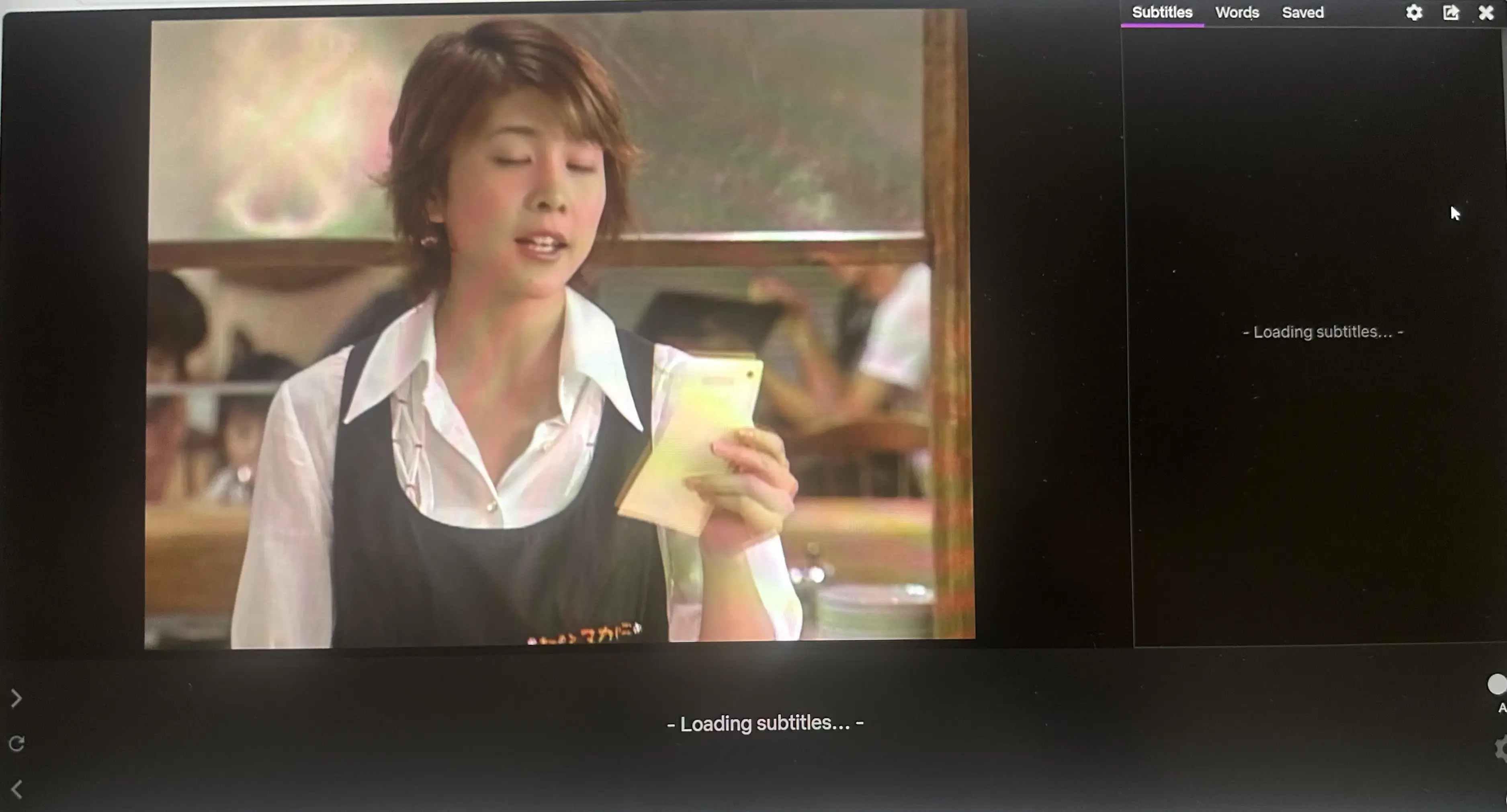
YouTubeやNetflixを見ているときに、機械翻訳がまったく読み込まれない、または字幕ボックスが読み込み中のまま止まってしまう症状です。
— ⚠️ 原因: ほかのブラウザ拡張機能との競合や、Netflix・YouTubeが画面のコードをひっそり更新したことで拡張機能が動かなくなることがよくあります。
— 🛠️ 対処法:
1. Chromeの拡張機能ページ(chrome://extensions/)を開き、広告ブロッカーやその他の動画に重ねて表示する拡張機能をオフにします。
2. Language Reactorを完全にアンインストールしてから再インストールします。
3. ブラウザのキャッシュを削除し、スーパーリロード(Ctrl + Shift + R)をします。
3. 字幕が音声と合わない、または自動生成(ASR)字幕の不具合
アニメや吹き替え作品を見ていると、Netflixの標準字幕が実際のセリフと一致しないことがあります。そこでLanguage ReactorのPro版のASR(自動生成)字幕をオンにしてみると、今度はフリーズする、行が抜ける、まったく違う文章が表示されるといった問題が起きることがあります。
— ⚠️ 原因: 字幕をその場で生成するには、高負荷で継続的に更新される処理が必要です。Language ReactorのASRエンジンは不安定で読み込めない、または複雑な音声では精度が落ちるという報告が多くのユーザーから寄せられています。
— 🛠️ 対処法: ASR機能をいったんオフにし、ページを再読み込みしてから再度オンにしてみてください。それでも行が抜ける、または読み込まれない場合は、より新しく安定したAI文字起こしエンジンを備えたツールが必要です(以下の代替ツールをご覧ください)。
✅ サーバーエラーや不具合にうんざりしているなら、Sabiを試してみましょう
NETWORK_ERRORのメッセージで何度も中断される、有料機能なのに不具合が多い、アップデートが遅くて大きな不具合が直らない。そう感じているなら、学習ツールを切り替える時期かもしれません。
Sabiは、Language Reactorの代替として作られた、活発にメンテナンスされている現代的なChrome拡張機能です。
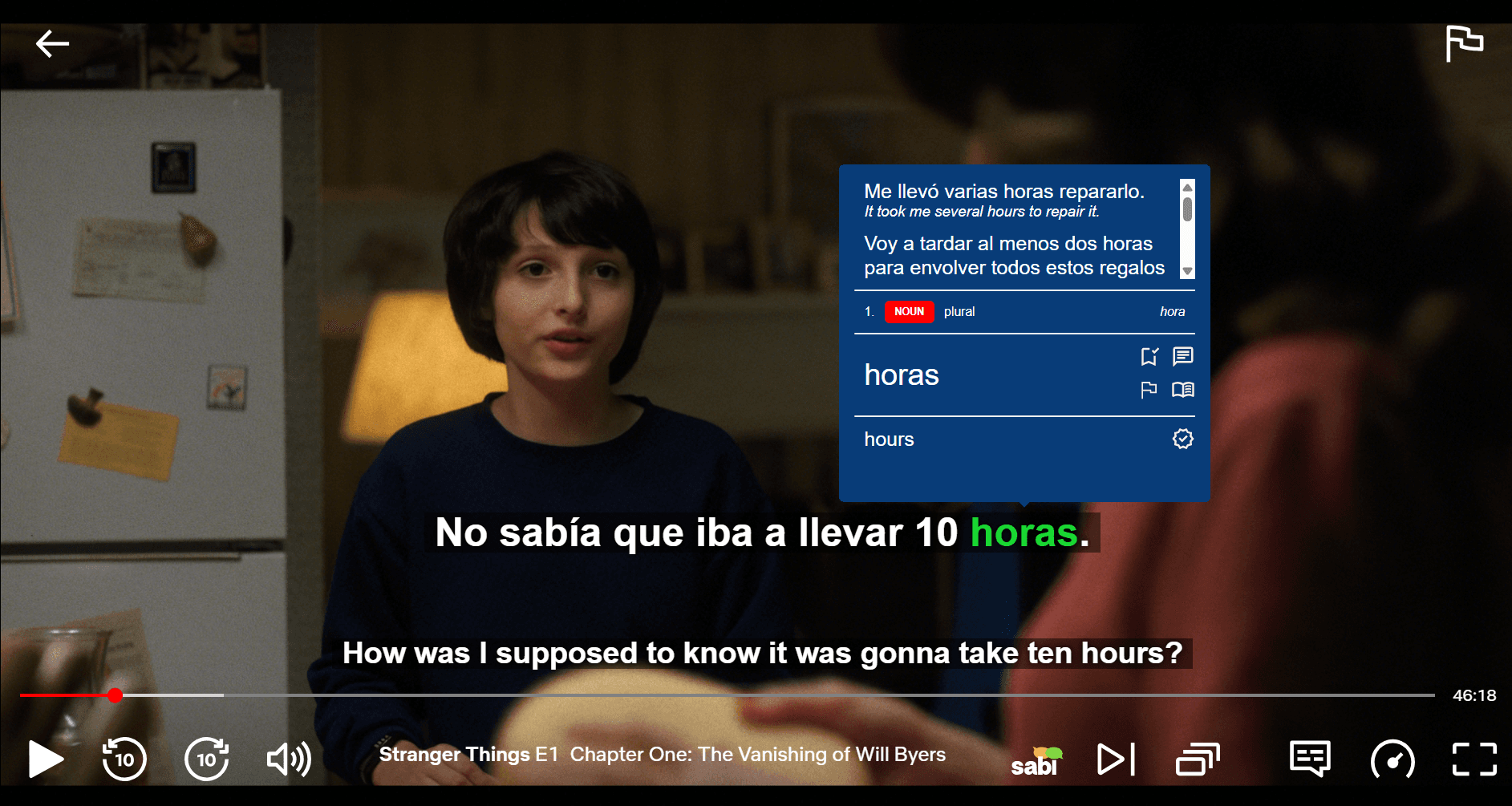
多くの学習者が乗り換えている理由はこちらです:
— 高精度なAI字幕: Language ReactorのASR字幕は不具合やズレが多いと報告されていますが、SabiはOpenAIの最先端のWhisper AIを使用しています。SabiのAIは音声トラックを高い精度で聞き取り、複数のプラットフォームで音声とぴったり同期した字幕を生成します。アニメの吹き替えと字幕が合わない問題や、字幕の遅れとはもうお別れです。
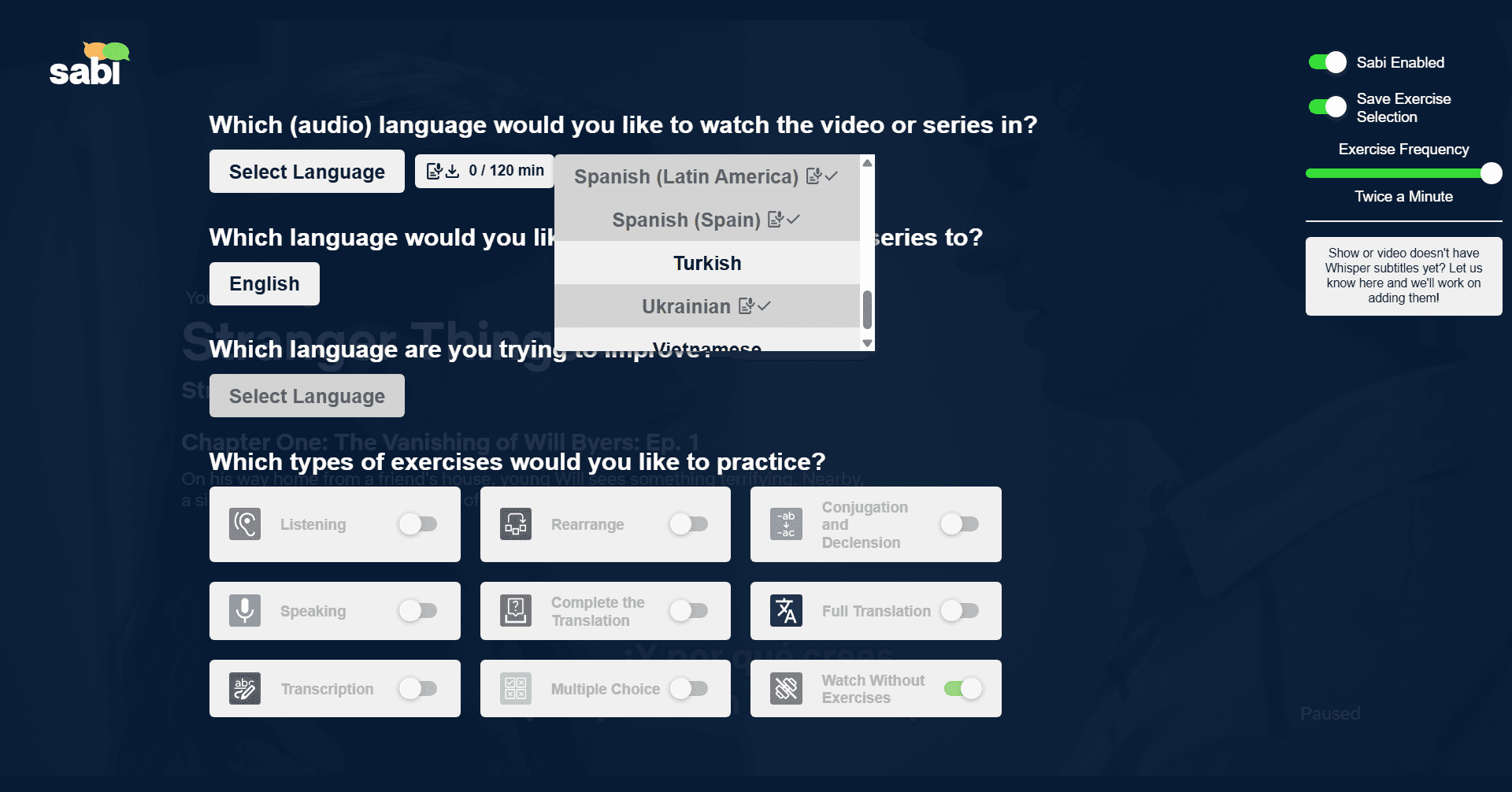
— より多くの動画配信サービスに対応: Language ReactorはNetflixとYouTubeでしか使えません。SabiはNetflix、YouTube、Disney+、Amazon Prime Video、Rakuten Vikiで快適に動作します。

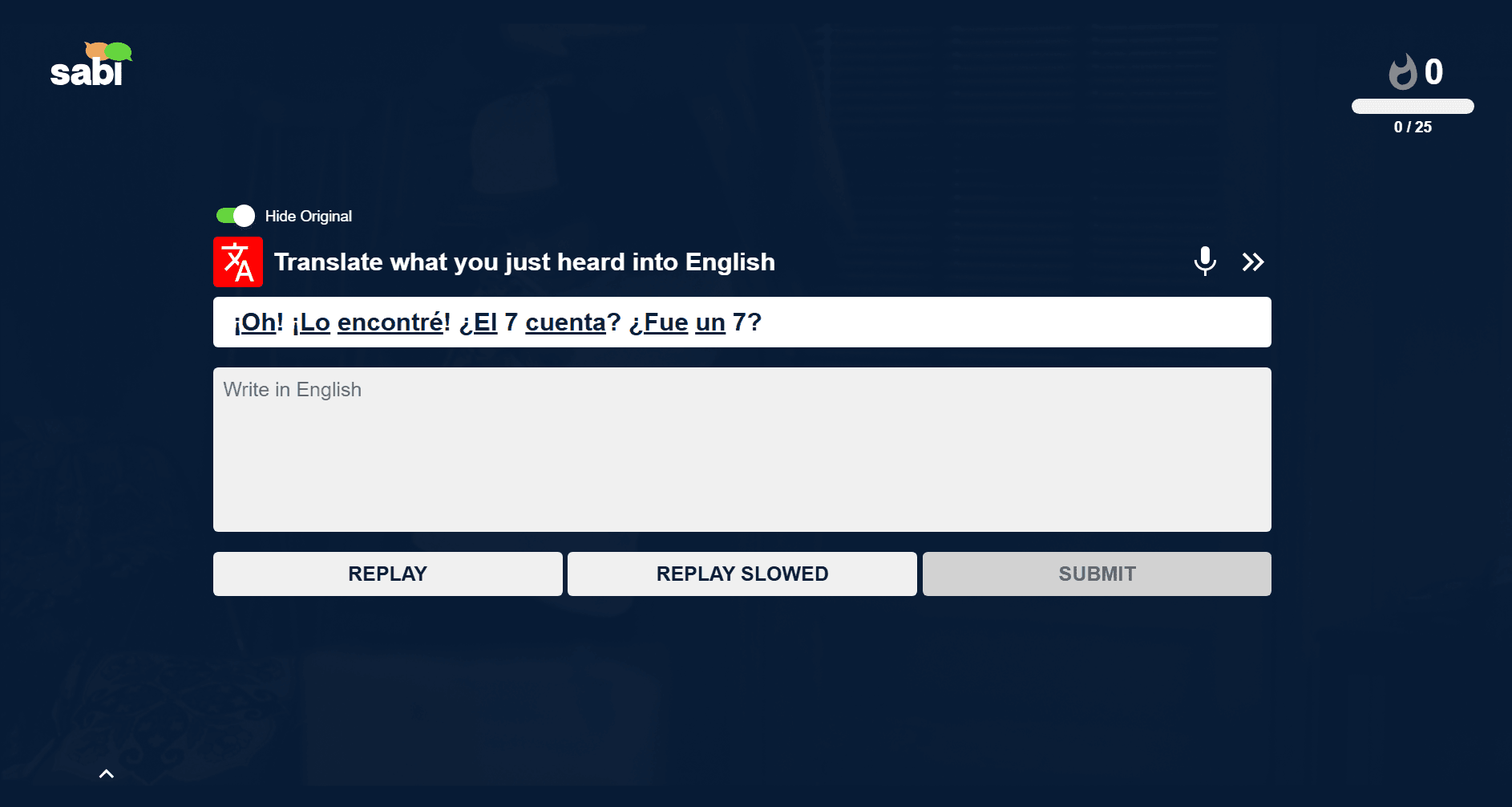
— 読むだけでなく、アクティブに学べる: 単語にカーソルを合わせるだけでなく、Sabiでは見たばかりの内容をもとにしたインタラクティブな練習問題、穴埋め問題、想起テストで、番組をゲーム感覚の学習体験に変えられます。
— 安定性と素早いアップデート: Sabiは活発にメンテナンスされ、頻繁にアップデートされているため、NetflixやYouTubeがサイトを更新しても動かなくなることがありません。
❓ Language Reactorのトラブルシューティング よくある質問
NetflixでLanguage Reactorが動かないのはなぜですか?
NetflixでLanguage Reactorが動かなくなる原因は、主に次の3つです。Language Reactorのサーバーが停止している、Netflixのサイト更新で拡張機能が動かなくなった、またはほかの拡張機能(多くは広告ブロッカー)と競合している。ほかの動画系の拡張機能をオフにし、Ctrl + Shift + Rでスーパーリロードし、Language Reactorを再インストールしてください。それでも辞書が読み込まれない場合はサーバー側の障害なので、待つか、Sabiのような活発にメンテナンスされている代替ツールに切り替えるしかありません。
YouTubeでLanguage Reactorが動かないのはなぜですか?
もっとも多い原因は、拡張機能がまだ対応できていないYouTubeの画面更新か、ほかの重ねて表示する拡張機能との競合です。広告ブロッカーやその他の動画ツールをオフにし、キャッシュを削除してから再インストールしてください。Language ReactorはNetflixとYouTubeにしか対応していないため、どちらかで不具合が起きると、まったく使えなくなってしまいます。
「Problem fetching subs. Wait and try again.」はどうすれば直りますか?
このメッセージは、Language Reactorがその動画の字幕ファイルをダウンロードできなかったことを意味します。ページを再読み込みし、学習したい言語の公式字幕がその動画にあることを確認し、字幕のAPIをブロックすることがあるVPNをオフにしてください。どの作品でも失敗し続ける場合は、Language Reactorのバックエンドが停止している可能性が高いです。
「Failed to fetch translations. Wait and try again.」はどうすれば直りますか?
これはサーバー側の障害で、Language Reactorの翻訳サービスが応答していない状態です。VPNをオフにしてサーバーの復旧を待つ以外に、ユーザー側でできる対処法はありません。Sabiは活発にメンテナンスされている独自のバックエンドと、字幕用のWhisper AIを使っているため、Language Reactorの障害の影響を受けません。
Language Reactorが「Loading subtitles, please wait」のまま止まるのはなぜですか?
機械翻訳が読み込まれないと、字幕ボックスが読み込み中のまま止まってしまいます。原因の多くは拡張機能の競合か、Language Reactorのサーバーの問題です。ほかの拡張機能をオフにし、スーパーリロードしてから再インストールしてください。止まっているのが自動生成のASR字幕の場合は、その機能をいったんオフにしてから再度オンにしてください。
Language Reactorはスマホで使えますか?
いいえ。Language ReactorはPCのブラウザ向けの拡張機能で、スマートフォンやタブレットでの利用には対応していません。これはSabiも同じで、PCのChrome、またはEdge、Brave、OperaなどのChromiumベースのブラウザが必要です。
Language Reactorは今、障害中ですか?
複数の動画や言語で「NETWORK_ERROR」「Failed to fetch translations」「Failed to retrieve linguistic data」が表示される場合、Language Reactorのサーバーはほぼ確実に停止しています。こうした障害は以前より頻繁に起きるようになっており、待つ以外に対処法はありません。そのため、多くの学習者が信頼できる予備としてSabiをインストールしています。