Does Language Reactor Work on Disney+, Prime Video & Viki?
Last Updated:
Language Reactor is one of the most popular browser extensions for learning a language through video, but it has a limitation that catches a lot of people off guard: it only supports two platforms. If you've tried to load it on Disney+ or Prime Video and nothing happened, you're not doing anything wrong. The extension simply isn't built for those sites.
Below is the full breakdown of where Language Reactor works, where it doesn't, and what to use instead if your shows live on another platform.
🎬 Language Reactor Platform Support
Platform | Language Reactor | Sabi |
|---|---|---|
Netflix | ✅ | ✅ |
YouTube | ✅ | ✅ |
Disney+ | ❌ | ✅ |
Amazon Prime Video | ❌ | ✅ |
Rakuten Viki | ❌ | ✅ |
Language Reactor covers Netflix and YouTube well. For Disney+, Prime Video, and Viki, you'll need a different tool.
📺 Does Language Reactor Work on Disney+?
No. Language Reactor does not support Disney+. There is no setting to enable, no beta, and no workaround inside the extension itself. It only injects its subtitle features into Netflix and YouTube.
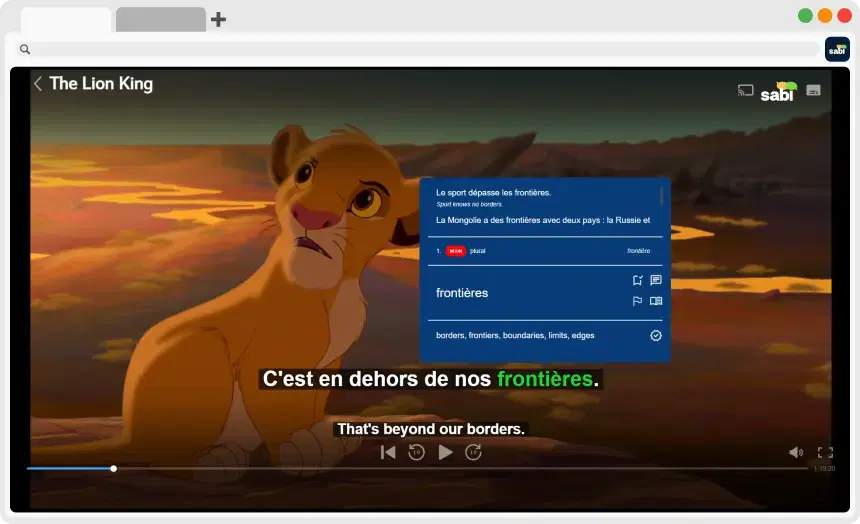
If you want dual subtitles, hover translations, and interactive exercises on Disney+, use Sabi, which is built directly into the Disney+ player. See our full guide on how to get dual subtitles on Disney+.
📺 Does Language Reactor Work on Amazon Prime Video?
No. Prime Video is not supported by Language Reactor. This is the single most searched-for gap, and the answer hasn't changed: the extension does nothing on Prime Video.
Sabi works on Prime Video and can also generate AI subtitles from the dubbed audio, which is useful because Prime Video's own subtitles frequently don't match the dub. See how to get dual subtitles on Amazon Prime Video.
📺 Does Language Reactor Work on Rakuten Viki?
No. Language Reactor does not work on Viki. Viki used to have its own built-in "Learn Mode," but that was discontinued, which left K-drama and C-drama learners without a good option.
Sabi fills that gap with dual subtitles, word lookups, and exercises directly in the Viki player. See how to learn languages on Viki.
🌐 Which Browsers Does Language Reactor Work On?
Language Reactor runs on Chrome and other Chromium-based browsers that can install extensions from the Chrome Web Store. Sabi works on exactly the same set:
Browser | Language Reactor | Sabi |
|---|---|---|
Google Chrome | ✅ | ✅ |
Microsoft Edge | ✅ | ✅ |
Brave | ✅ | ✅ |
Opera | ✅ | ✅ |
Firefox | ❌ | ❌ |
Brave, Opera, and Edge all install extensions straight from the Chrome Web Store, so both tools work there just like in Chrome (Opera may ask you to allow Chrome Web Store extensions the first time).
Firefox isn't supported by either. Language Reactor has no official Firefox version (only an unofficial third-party port), and Sabi also needs a Chromium-based browser. If you normally use Firefox, the simplest fix is to keep one of the browsers above just for watching.
✅ What to Use Instead: Sabi
If your shows aren't on Netflix or YouTube, Sabi is the most direct replacement. It's a modern, actively maintained Chrome extension that does what Language Reactor does, on more platforms.

— Works on 5 platforms: Netflix, YouTube, Disney+, Prime Video, and Rakuten Viki.
— Dual subtitles and a hover dictionary, the same core features you're used to.
— AI subtitles generated from the actual audio with Whisper AI, so subtitles match dubbed shows and anime.
— Interactive exercises that test you on the dialogue as you watch, instead of just showing translations.
— Costs less: around €1,84 per month on the yearly plan, versus roughly €2,98 for Language Reactor Pro.
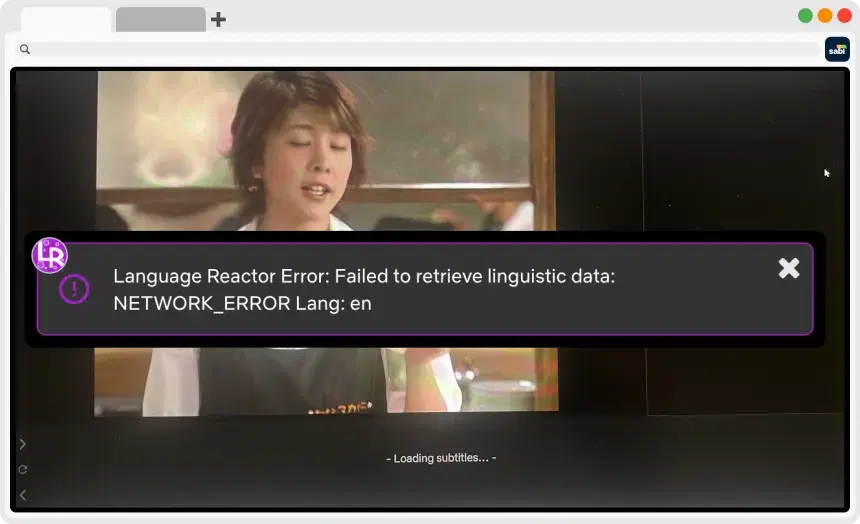
For a full side-by-side, read Language Reactor vs Sabi. If Language Reactor is throwing errors or freezing on Netflix, see Language Reactor not working: how to fix it.
❓ Frequently Asked Questions
Does Language Reactor work on Amazon Prime Video?
No. Language Reactor only works on Netflix and YouTube. To get dual subtitles and instant translations on Prime Video, use a tool like Sabi, which is integrated directly into the Prime Video player.
Does Language Reactor work on Disney+?
No. Language Reactor does not support Disney+. Sabi works on Disney+ and adds dual subtitles, hover translations, AI subtitles, and interactive exercises.
Does Language Reactor work on Rakuten Viki?
No. Language Reactor is limited to Netflix and YouTube. Sabi supports Viki fully, which matters since Viki's own Learn Mode was discontinued.
What platforms does Language Reactor support?
Language Reactor supports Netflix and YouTube only. It does not work on Disney+, Amazon Prime Video, or Rakuten Viki. Sabi supports all five.
Does Language Reactor work on Brave?
Yes. Brave is Chromium-based and installs extensions from the Chrome Web Store, so Language Reactor works there on Netflix and YouTube. Sabi works on Brave too, on all five of its supported platforms.
Does Language Reactor work on Opera?
Yes. Opera can install Chrome Web Store extensions, so Language Reactor works on Netflix and YouTube there. Sabi also works on Opera.
Does Language Reactor work on Firefox?
No. Language Reactor has no official Firefox version, only an unofficial third-party port. Sabi doesn't support Firefox either, so for either tool you'll need Chrome or another Chromium-based browser such as Edge, Brave, or Opera.
Is there a Language Reactor alternative that works on more platforms?
Yes. Sabi works on Netflix, YouTube, Disney+, Prime Video, and Rakuten Viki, adds interactive exercises and Whisper AI subtitles, and costs less than Language Reactor Pro.