Best Language Reactor Alternative: Sabi
Last Updated:
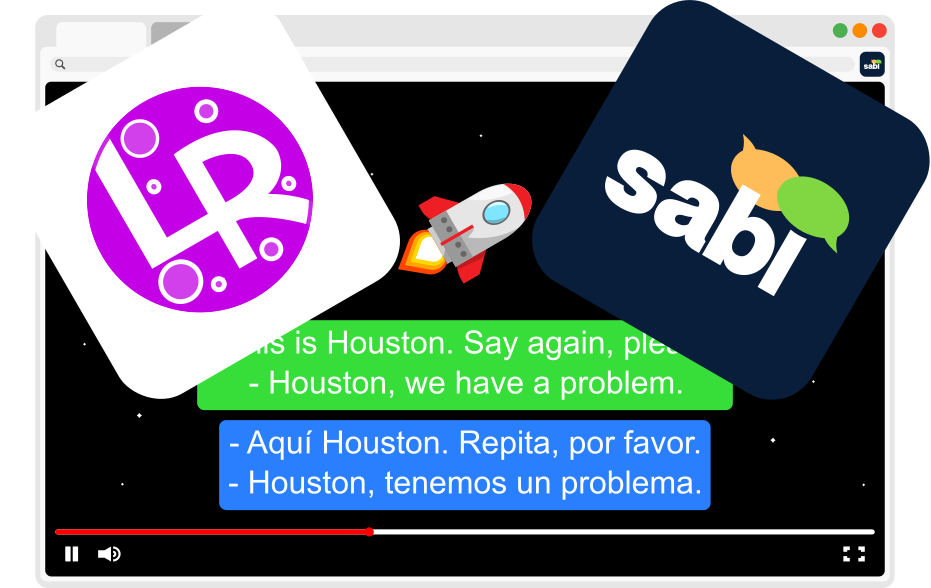
Streaming-based language immersion tools have become hugely popular, letting learners turn shows and videos into study sessions. Two well-known options are Language Reactor and Sabi, but there are big differences in what they offer, how they support users, and how they fit into a real language learning routine. In this comparison, we'll explore the major differences and help you decide which tool is better for your goals.
Short on time? Here's a quick look at how they compare.
🆚 Quick Comparison: Sabi vs Language Reactor
Feature | Sabi | Language Reactor |
|---|---|---|
Netflix | ✅ | ✅ |
YouTube | ✅ | ✅ |
Disney+ | ✅ | ❌ |
Prime Video | ✅ | ❌ |
Rakuten Viki | ✅ | ❌ |
Dual Subtitles | ✅ | ✅ |
Word Translations | ✅ | ✅ |
In-Video Exercises | ✅ | ❌ |
ASR Subtitles | Netflix, YouTube, Disney+, Viki | Netflix |
Developer Support | Active / Frequent | Poor / Slow |
Monthly Price | Free Trial / €1,84 | Free / €2,98 |
🧠 Overview: What Each Tool Is
Language Reactor
Language Reactor is a Chrome extension that enhances video subtitles on platforms like Netflix and YouTube, adding dual subtitles, dictionaries, and other supportive features to help you learn from native content.
Sabi
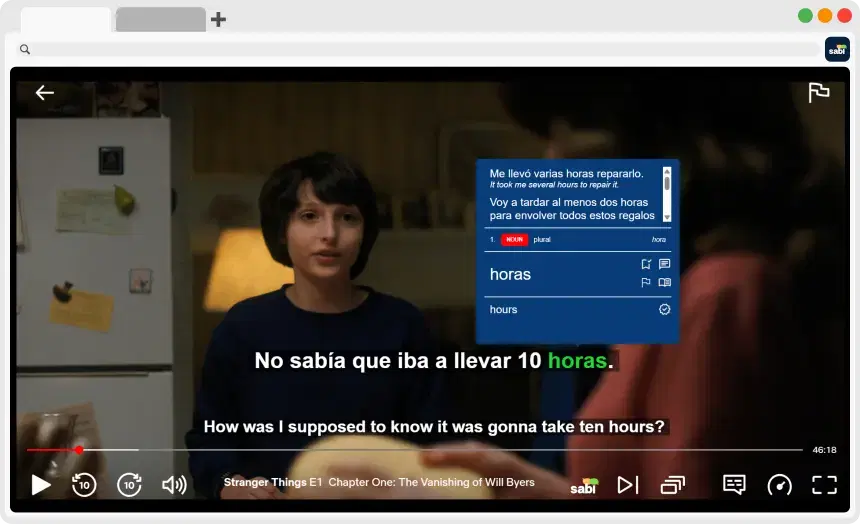
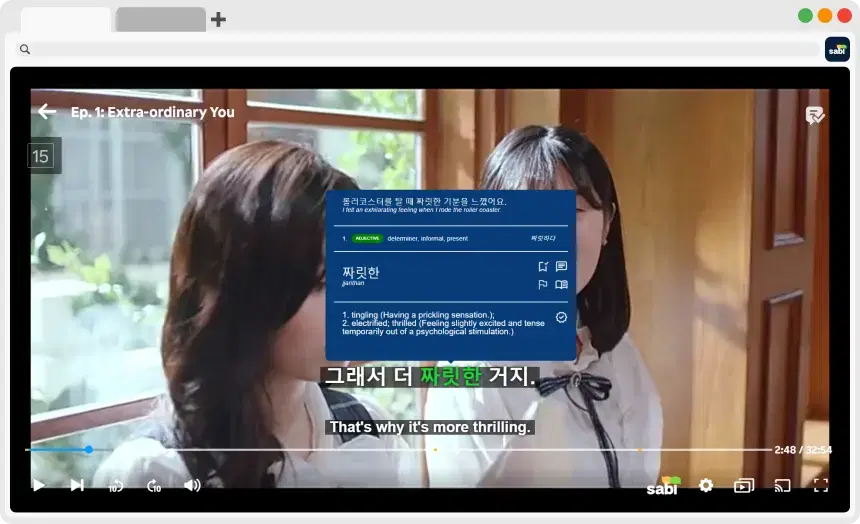
Sabi is a Chrome extension that works with Netflix and YouTube, as well as Disney+, Prime Video, and Rakuten Viki. It also goes beyond subtitles by turning watching into interactive language practice with exercises based on what you heard.
📺 Platform Support
Language Reactor
— Works primarily as a Chrome extension for desktop browsers
— Supports Netflix and YouTube dual subtitles and dictionary functions
👉 Limitations:
— Focuses mostly on Netflix and YouTube (see does Language Reactor work on Disney+, Prime Video & Viki? for the full compatibility list)
— Reported to struggle with support or updates, causing errors and bugs for many users
Sabi
— Supports Netflix, YouTube, Disney+, Prime Video, and Rakuten Viki
— Seamlessly integrates with streaming platform video player
✨ Advantage:
— More platform diversity means you have more varied content to study with, especially if you like shows beyond Netflix/YouTube
📚 Learning Experience
Language Reactor

Focus: Subtitles + dictionary enhancements
— Dual subtitles for context and comprehension
— Popup dictionary and word lookups
— Auto-pause and playback controls help slow down tricky sections
— Some premium features like full machine-translated subtitles require a paid plan
📉 Limitations:
— Doesn't include structured exercises for review (like speaking or writing)
— Primarily reinforces listening and reading through subtitles
— For many features (even premium), users frequently report bugs and errors that often never get fixed
Sabi
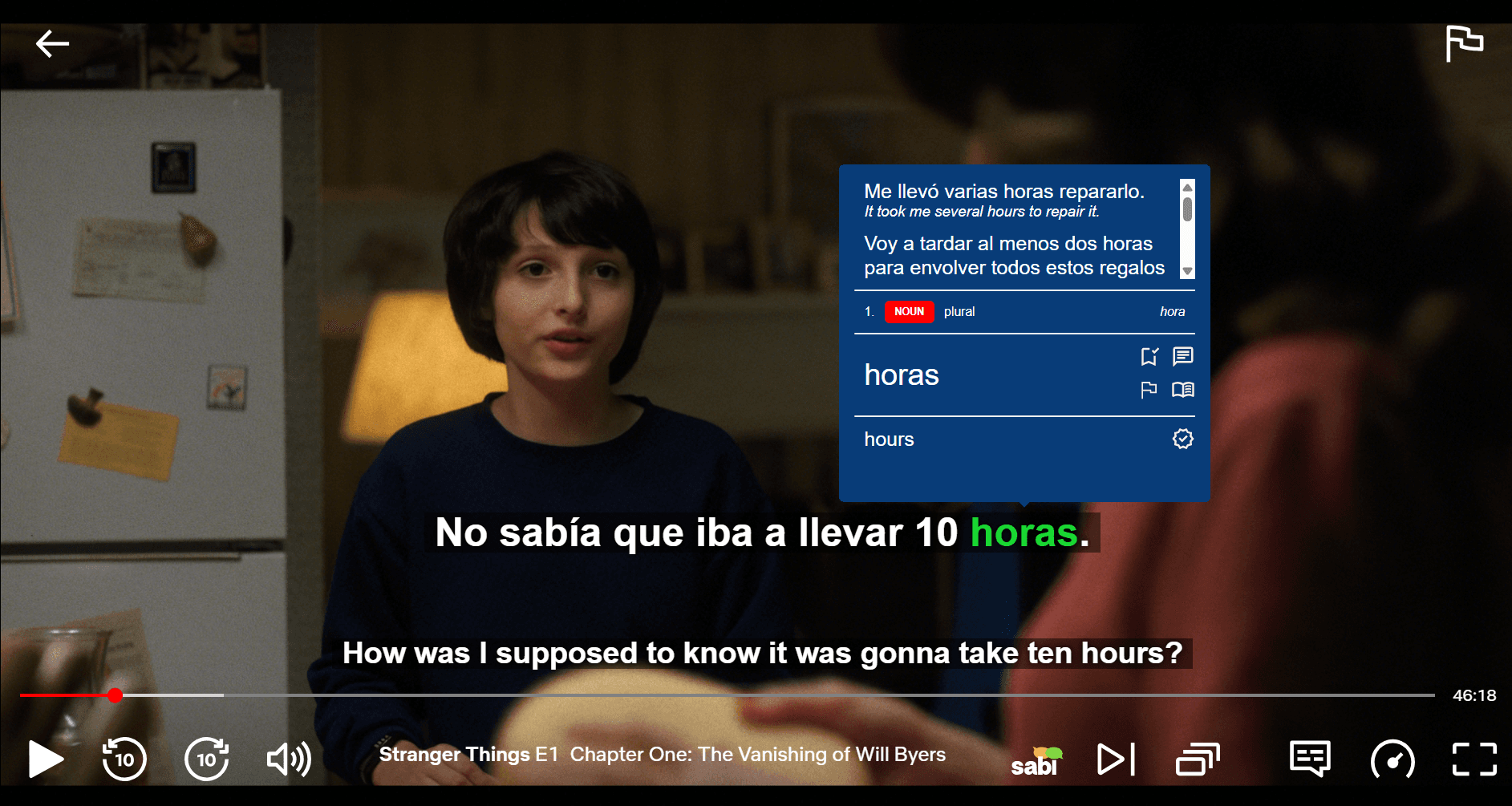
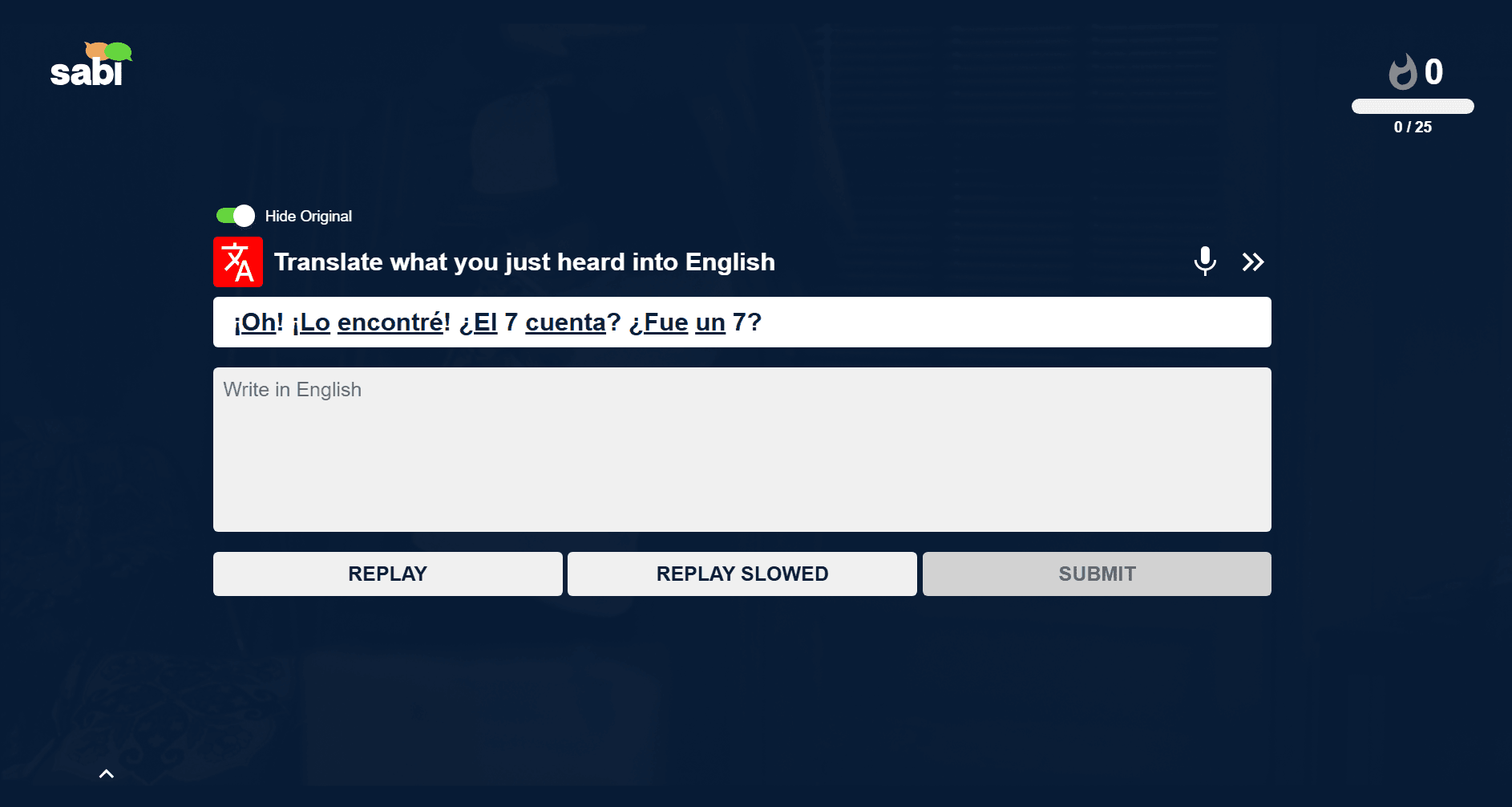
Focus: Turn watching into active learning
— Interactive exercises pop up during watching (e.g. fill-in-the-blank, multiple choice), and are available after sessions for review
— Dual + AI-generated subtitles for better transcript accuracy
— Word hover lookups with translation, grammar, and example usage
— Exercises adapt based on what you've seen, like a game that gets harder as you improve
🔥 Advantage:
— Instead of only displaying subtitle info, Sabi practically tests and reinforces what you learned to improve retention and active recall
🎨 Design & User Interface
Language Reactor
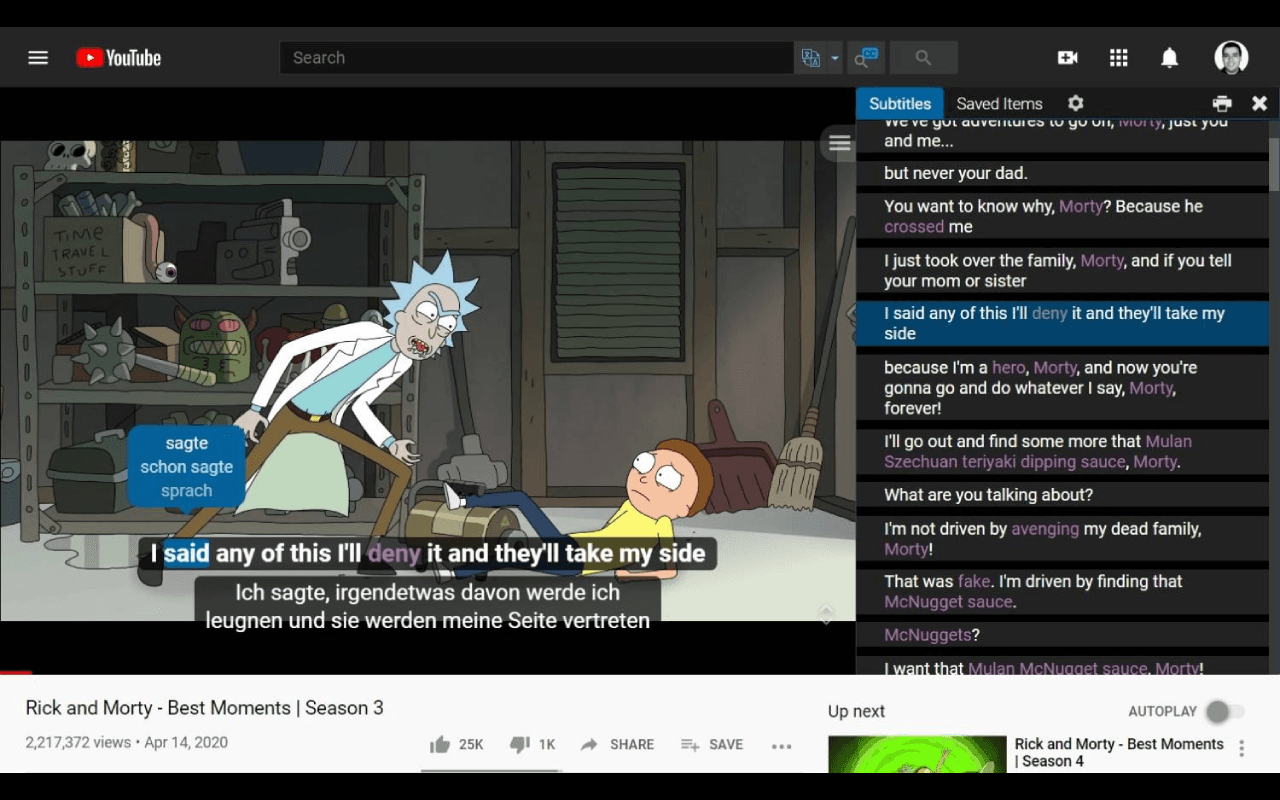
— Traditional extension UI integrated with video players
— Some users report that it feels a bit technical and outdated
— Less intuitive for learners who want a smooth, guided experience
📱 Interface Limitations:
— Focused on technical subtitle adjustments rather than a smooth and comfortable learning environment
Sabi
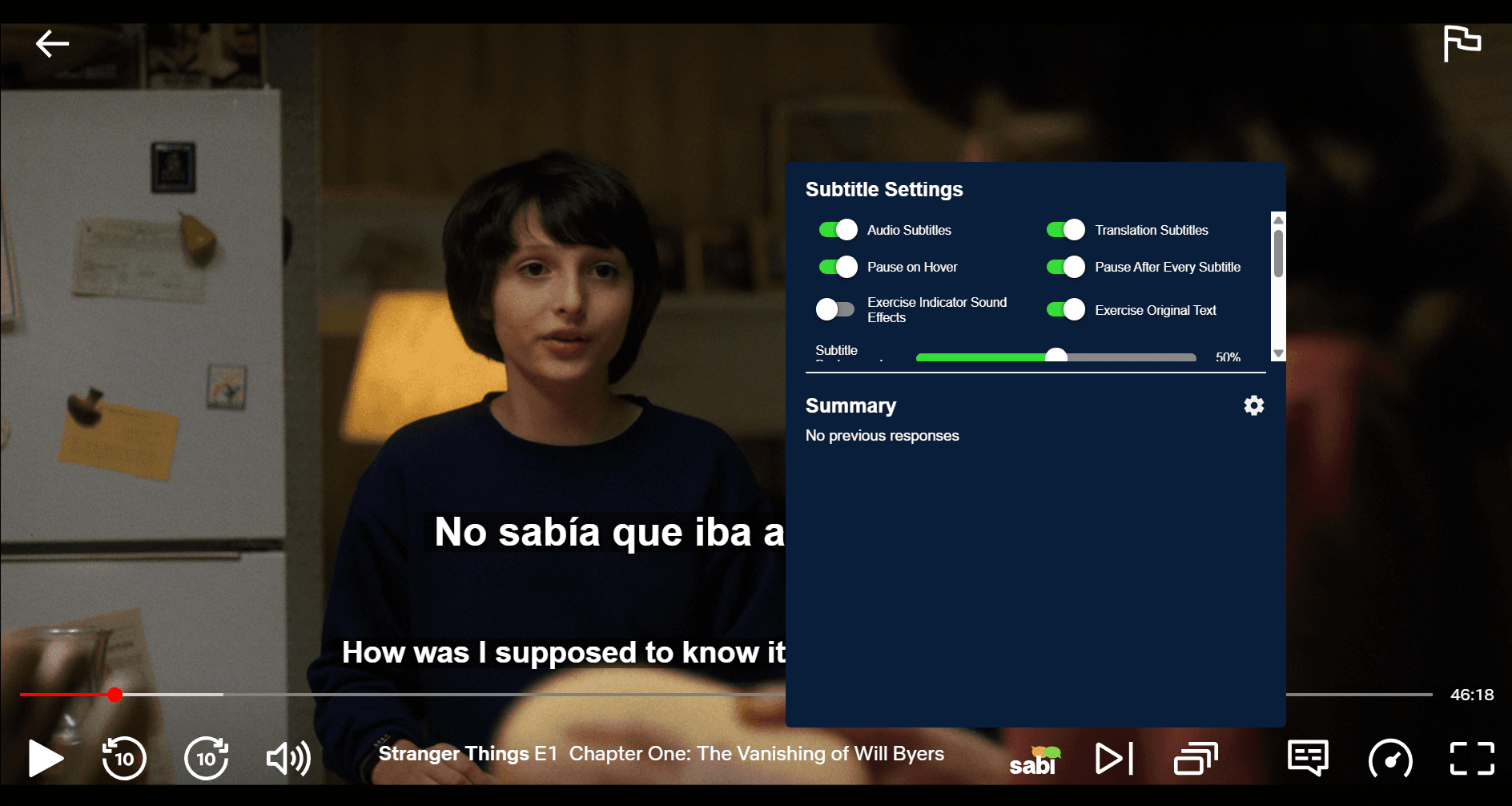
— Designed with both entertainment and learning in mind
— More modern, gamified UI with a focus on user experience
— Shows exercises and translations in an engaging way, rather than purely informational overlays
✨ UI Advantage:
— Learners often find Sabi more engaging because it blends learning mechanics with watching, not just subtitling
💸 Pricing
Language Reactor
— Freemium model: core features are free
— Paid subscription for advanced features like full machine-translated subtitles, unlimited word saving, and enhanced export options
— Requires you to already have streaming subscriptions for content
Sabi
— Offers a free trial with complete access to all features, no payment information required
— Paid subscription to continue access
— Also requires your own streaming subscriptions
💡 Comparison:
Both are relatively affordable, but Sabi focuses on practice and reinforcement, while Language Reactor mainly enhances subtitle features
✅ Pros & Cons
Language Reactor
✅ Pros:
— Simple to use for dual subtitles and dictionary overlays
— Works with Netflix & YouTube
— Solid free tier with basic subtitle tools
❌ Cons:
— Limited platform support, with no Disney+, Prime Video, or Viki integrations
— UI feels technical and dated to many users
— Lacks structured practice exercises like flashcards or interpretation drills
— Development and update pace very slow
Sabi
✅ Pros:
— Interactive learning, as it tests you while you watch
— Supports more platforms (Netflix, YouTube, Disney+, Prime, Viki)
— Fixes mismatched or non-existent subtitles by using Whisper AI to generate captions based on what's actually being said
— Adaptive methods help progression and increase retention
— Modern, engaging UI that feels more like a guided study tool
— Built-in practice tools beyond subtitles
— Cheaper subscription price
— Frequent updates and consistent developer support
❌ Cons:
— Smaller user base compared to the long-established Language Reactor
— Requires paid subscription for continued access
❓ Frequently Asked Questions
Is Language Reactor still being updated?
Language Reactor has seen very few updates recently, with many users complaining about bugs and errors that still haven't been fixed. If you're looking for a modern alternative that is actively maintained, you should check out Sabi with its dual subtitles, instant translations, and interactive exercises.
How much does Language Reactor cost?
Language Reactor offers a free version with basic features, and a Pro version for around €2,98 per month (on the yearly plan). Sabi offers similar dual subtitle and dictionary features with interactive exercises, AI subtitles, and a more modern interface for a significantly lower price of €1,84 per month (on the yearly plan), making it a more affordable choice.
Which platforms does Language Reactor work with?
Language Reactor currently only supports Netflix and YouTube. It does not work on other major streaming services like Disney+, Amazon Prime Video, or Rakuten Viki. For a tool that works across all five platforms and offers dual subtitles, instant translations, and interactive exercises, try Sabi.
Does Language Reactor work on Disney+?
No, Language Reactor is not compatible with Disney+. To get dual subtitles, instant translations, and interactive exercises on Disney movies and shows, you need to use the Sabi browser extension.
Does Language Reactor work on Prime Video?
No, Amazon Prime Video is not supported by Language Reactor. If you want to learn a language while watching on Prime Video, you need to check out Sabi and its dual subtitles, instant translations, and interactive exercises.
Does Language Reactor work on Rakuten Viki?
No, Language Reactor does not work on Viki. For users looking to have dual subtitles, instant translations, and interactive exercises on Viki, Sabi is the best choice, offering full support within the Viki video player.
Is there an alternative to Language Reactor?
Yes! The best alternative is Sabi. It offers all the core features of Language Reactor (dual subs, saved words, dictionary) but adds interactive exercises, works on more platforms (Disney+, Prime Video, Rakuten Viki), and costs around 40% less than the Pro version.
🏁 Final Verdict: Which Is Better?
If your goal is basic immersion and easy subtitle enhancements, Language Reactor is a strong, straightforward tool that gives you dual subtitles and quick translations on Netflix or YouTube.
However, if you want a complete learning experience that combines watching and active studying (interactive exercises, grammar information, support across more streaming platforms), then Sabi is generally the stronger choice for learners who want to turn entertainment into progress.