Best Migaku Alternative: Sabi
Last Updated:

Language learning through immersion has become increasingly popular, especially with tools that enhance subtitles and videos from streaming platforms. Two standout options are Migaku and Sabi. Both provide unique ways to turn watching and listening into real language acquisition, but they differ significantly in focus, features, and experience. In this article, we'll break down the key differences so you can decide which one is the right immersion tool for your language journey.
Is Migaku free? No. Migaku has a free trial, then costs about €5,27 per month on the yearly plan. Sabi covers the same core features, adds interactive exercises and Prime Video support, and costs about €1,84 per month, with a 7-day free trial. See the full price comparison.
Short on time? Here's a quick look at how they compare.
🆚 Quick Comparison: Sabi vs Migaku
Feature | Sabi | Migaku |
|---|---|---|
Netflix | ✅ | ✅ |
YouTube | ✅ | ✅ |
Disney+ | ✅ | ✅ |
Prime Video | ✅ | ❌ |
Rakuten Viki | ✅ | ✅ |
Dual Subtitles | ✅ | ✅ |
Word Translations | ✅ | ✅ |
In-Video Exercises | ✅ | ❌ |
Monthly Price | Free Trial / €1,84 | Free Trial / €5,27 |
🧠 Overview: What Each Tool Is
Migaku
Migaku is a Chrome extension designed to support language learning primarily through annotated subtitles, better dictionary support, and flashcards. It's popular among people who like detailed, granular learning workflows, with a particular focus on Japanese learners.
Sabi
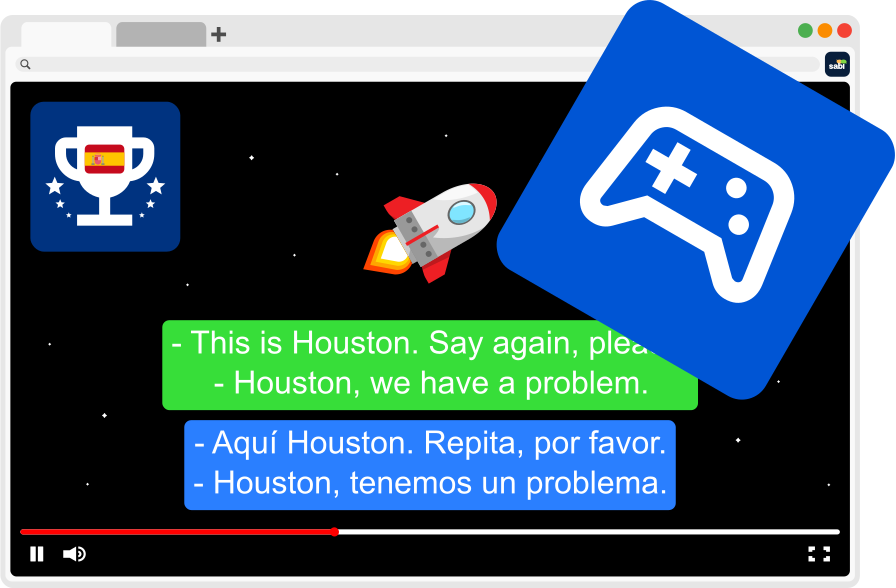
Sabi is a Chrome extension focused on turning the shows and videos you already watch into interactive language lessons. It combines subtitles with built-in exercises (multiple choice, complete the translation) and gamification elements to reinforce learning.
📺 Platform Support
Migaku
— Commonly used on YouTube, Netflix, Disney+, and Rakuten Viki
— Often requires a bit of manual setup to connect with streaming platforms.
Sabi
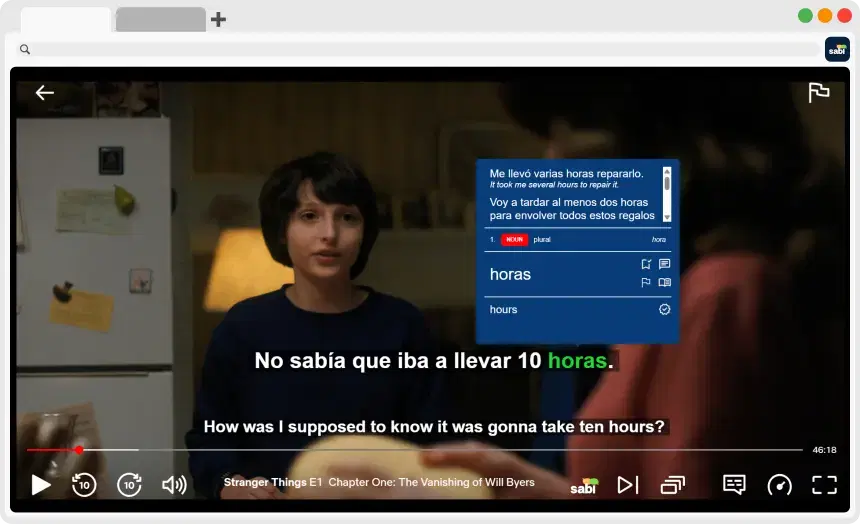
— Supports Netflix, YouTube, Disney+, Prime Video, and Rakuten Viki
— Seamlessly integrates with streaming platform video player
✨ Platform Advantage:
— Sabi's out-of-the-box support for multiple streaming services gives it a broader, plug-and-play feel compared to Migaku's more modular experience
📚 Learning Experience
Migaku
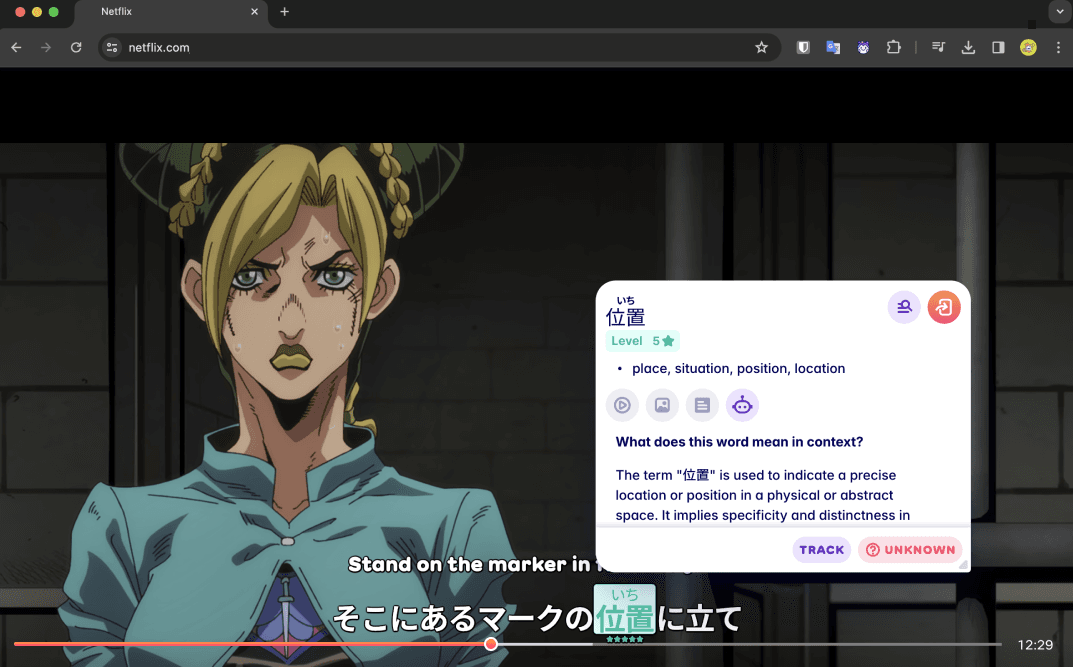
— Focused on annotated learning with dual subtitles, word lists, and dictionary lookups
— Great for learners who want fine-grained control over vocab and study materials
— Users can customize decks, modify examples, and integrate with external SRS systems
— Best for learners who appreciate manual customization and study workflows
🧠 Learning Style:
— Structured, as you're building your own curriculum from what you watch/read
Sabi
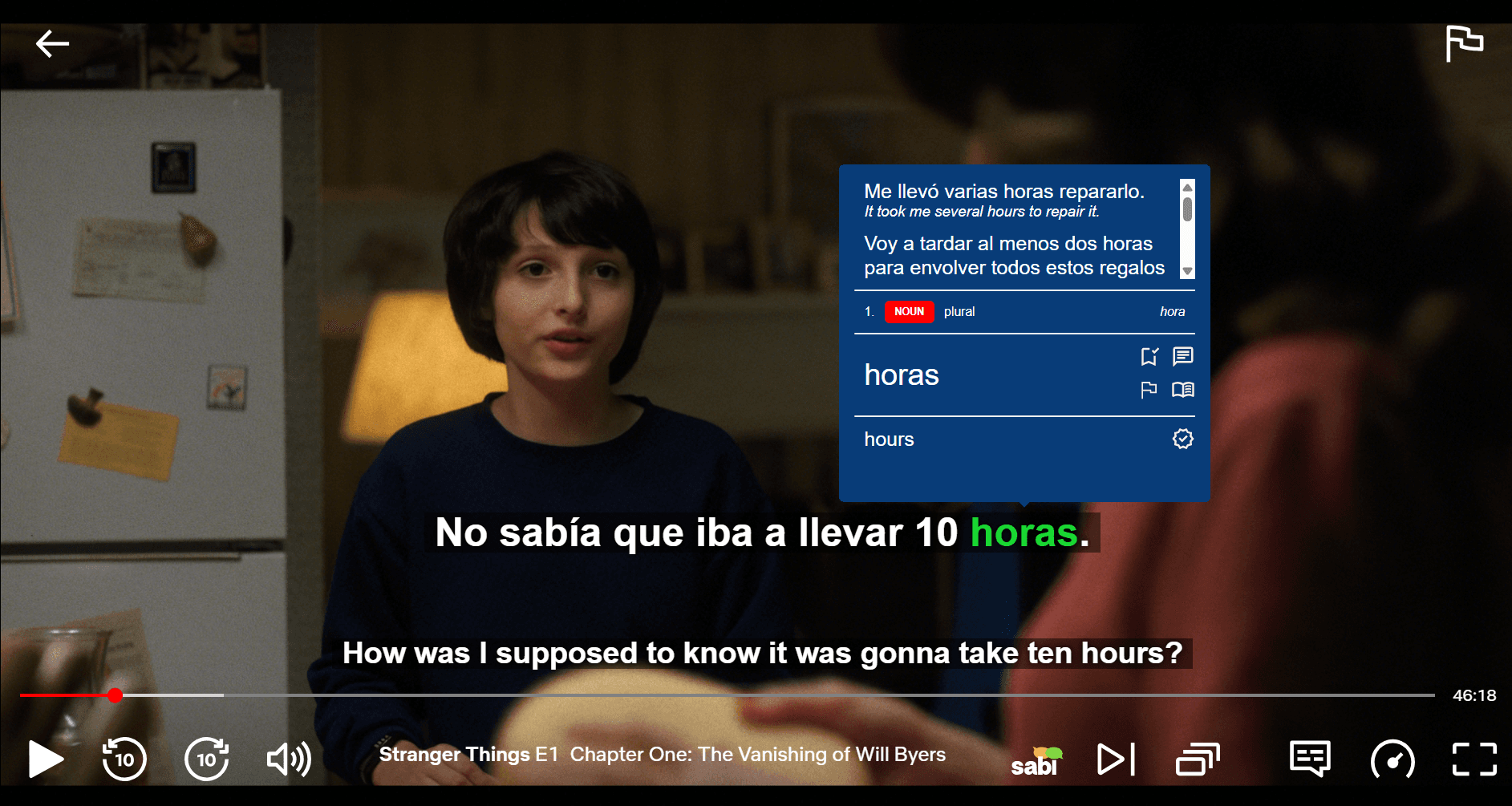
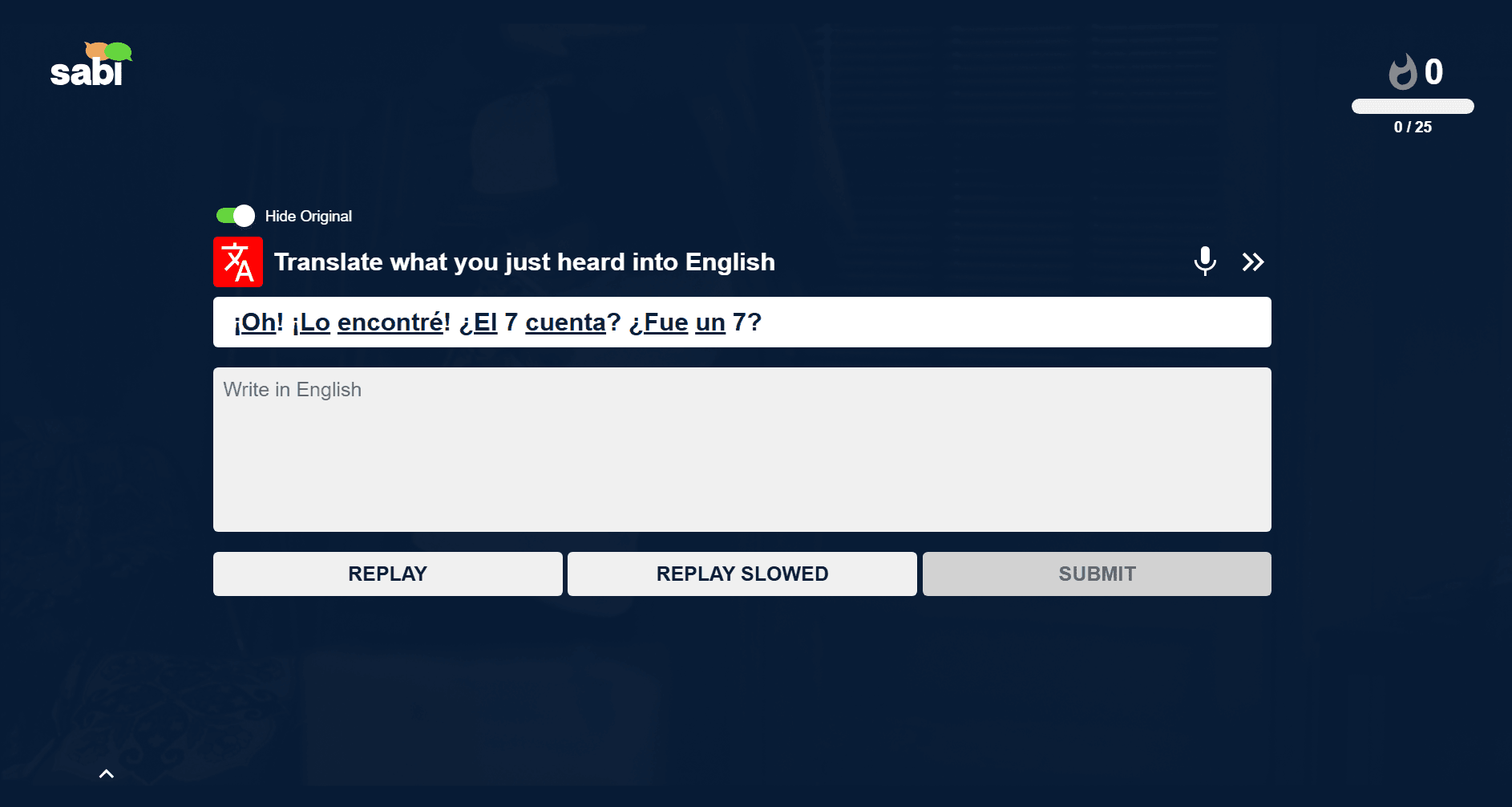
— Focused on turning watching into active learning
— Dual + AI-generated subtitles for better transcript accuracy
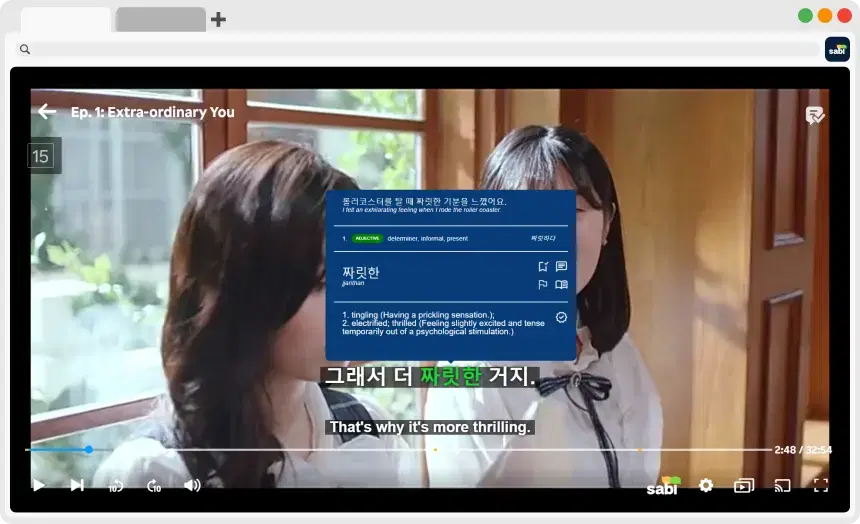
— Word hover lookups with translation, grammar, and example usage
— Interactive exercises pop up during watching (e.g. fill-in-the-blank, multiple choice), and are available after sessions for review
— Exercises adapt based on what you've seen, like a game that gets harder as you improve
— Less manual setup, more guided experience
— Learning tied directly to content you watch, with reinforcement during and after the fact
🧠 Learning Style:
— Immersive and guided, as practice exercises are built into the experience, offering a smoother progression from exposure to mastery
🎨 Design & User Interface
Migaku
— More modular and technical
— Powerful, but may feel overwhelming for casual learners
— Highly customizable, but the trade-off is a steeper learning curve
📊 Challenge:
— Migaku's UI is utilitarian as it's heavy on options and lighter on polish
Sabi
— Designed with engagement in mind
— Clean UI layered directly over streaming content
— Visual progress tracking, achievements
— Practice components integrated without leaving the learning flow
— Smooth, modern, and intuitive, especially for learners who want everything in one place
✨ Advantage:
— Sabi's UI feels more like a learning companion than a toolkit
💸 Pricing: How Much Does Migaku Cost?
Migaku is not free. It offers a free trial, but there's no permanently free tier, so you need a paid subscription to keep using it after the trial ends. On the annual plan it works out to around €5,27 per month, and the month-to-month plan costs more. There's also a higher tier that adds early access to new features.
Sabi is also a paid tool, but significantly cheaper: around €1,84 per month on the yearly plan. Its free trial gives you complete access to every feature with no payment information required. As with Migaku, you still need your own streaming subscriptions.
Pricing | Migaku | Sabi |
|---|---|---|
Free trial | ✅ | ✅ (no card) |
Permanently free tier | ❌ | ❌ |
Price (yearly plan) | ~€5,27 / month | ~€1,84 / month |
In-video exercises | ❌ | ✅ |
Prime Video support | ❌ | ✅ |
💡 The bottom line:
Both use the same subscription model, but Sabi is roughly 65% cheaper while adding interactive exercises and Prime Video support. If you're looking for a cheaper, less technical Migaku alternative, Sabi is the closest match.
✅ Pros & Cons
Migaku
✅ Pros:
— Granular control over vocabulary and flashcards
— Deep integration with Anki and custom study workflows
— Excellent for learners who love building their own systems
❌ Cons:
— More technical and harder to set up
— Requires manual flashcard creation to maximize retention
— Limited streaming platform support out of the box
— Focus on East Asian languages, especially Japanese
Sabi
✅ Pros:
— Supports multiple streaming platforms (Netflix, YouTube, Disney+, Prime, Viki)
— Built-in practice (flashcards, grammar exercises, interpretation tasks)
— Auto-pause and AI Explain deepen retention
— Modern, engaging UI with motivational feedback
— Low friction, as no complex setup required
❌ Cons:
— Smaller user base compared to the long-established Migaku
— Requires paid subscription for continued access
❓ Frequently Asked Questions
How much does Migaku cost?
Migaku costs around €5,27 per month (on the yearly plan), and more on the month-to-month plan. In comparison, Sabi offers similar dual subtitle and dictionary features with interactive exercises, AI subtitles, and a more modern interface for a significantly lower price of €1,84 per month (on the yearly plan), around 65% cheaper.
Is Migaku free?
No. Migaku has a free trial but no permanently free tier, so you need a paid subscription to keep using it. Sabi also has a free trial (with no payment details required) and then costs about €1,84 per month, roughly 65% less than Migaku.
What is a cheaper alternative to Migaku?
Sabi is the closest cheaper alternative. It covers the same core immersion features (dual subtitles, word lookups, a dictionary), adds interactive exercises and Whisper AI subtitles, works on Prime Video, and is less technical to set up, for around €1,84 per month versus Migaku's €5,27.
Does Migaku work on Prime Video?
No, Amazon Prime Video is not supported by Migaku. If you want to learn a language while watching on Prime Video, you need to check out Sabi and its dual subtitles, instant translations, and interactive exercises.
Is there an alternative to Migaku?
Yes! The best alternative is Sabi. It offers all the core features of Migaku (dual subs, saved words, dictionary) but adds interactive exercises, works on more platforms (Prime Video), and is around 65% cheaper.
🏁 Final Verdict: Which Is Better?
For most learners, especially those who want fun, consistent immersion and integrated practice without heavy setup, Sabi stands out as the more accessible and engaging tool. Its wide platform support, interactive practice features, and modern UI make language learning feel like play instead of work.
But if you love building your own study workflow and want maximum control over every vocabulary item and flashcard, Migaku has deep strengths that power users will appreciate.