Language Learning with Prime Video Guide (2026)
Last Updated:
Streaming platforms aren't just for entertainment as they can be powerful tools for learning a new language. If you're a Prime Video subscriber, you already have access to a wide range of shows and movies in multiple languages. The trick is knowing how to turn that content into a learning opportunity. In this article, we'll show you how to use your favorite Prime Video content to practice vocabulary, grammar, and listening comprehension, alongside powerful learning tools like Sabi.
🧠 Why Learn a Language Through Prime Video?
Prime Video offers a treasure trove of authentic content in dozens of languages, from Korean dramas and Spanish thrillers to French comedies and Japanese anime. Watching shows in your target language helps you:
— Hear real pronunciation and intonation
— Understand natural speech patterns and slang
— See words and phrases used in real-life contexts
— Stay engaged longer since you're enjoying content you love
However, without the right tools, it can be difficult to follow along or catch every word. That's where using Sabi with Prime Video makes all the difference.
📺 How to Use Sabi with Prime Video
Sabi is a Chrome extension designed to help you learn naturally while watching shows on streaming platforms like Prime Video. Here's how you can use it to turn every episode into a language lesson:
1. Install the Sabi Chrome Extension: Sabi integrates seamlessly with Prime Video. Once it's installed, you'll see the Sabi screen while you watch.
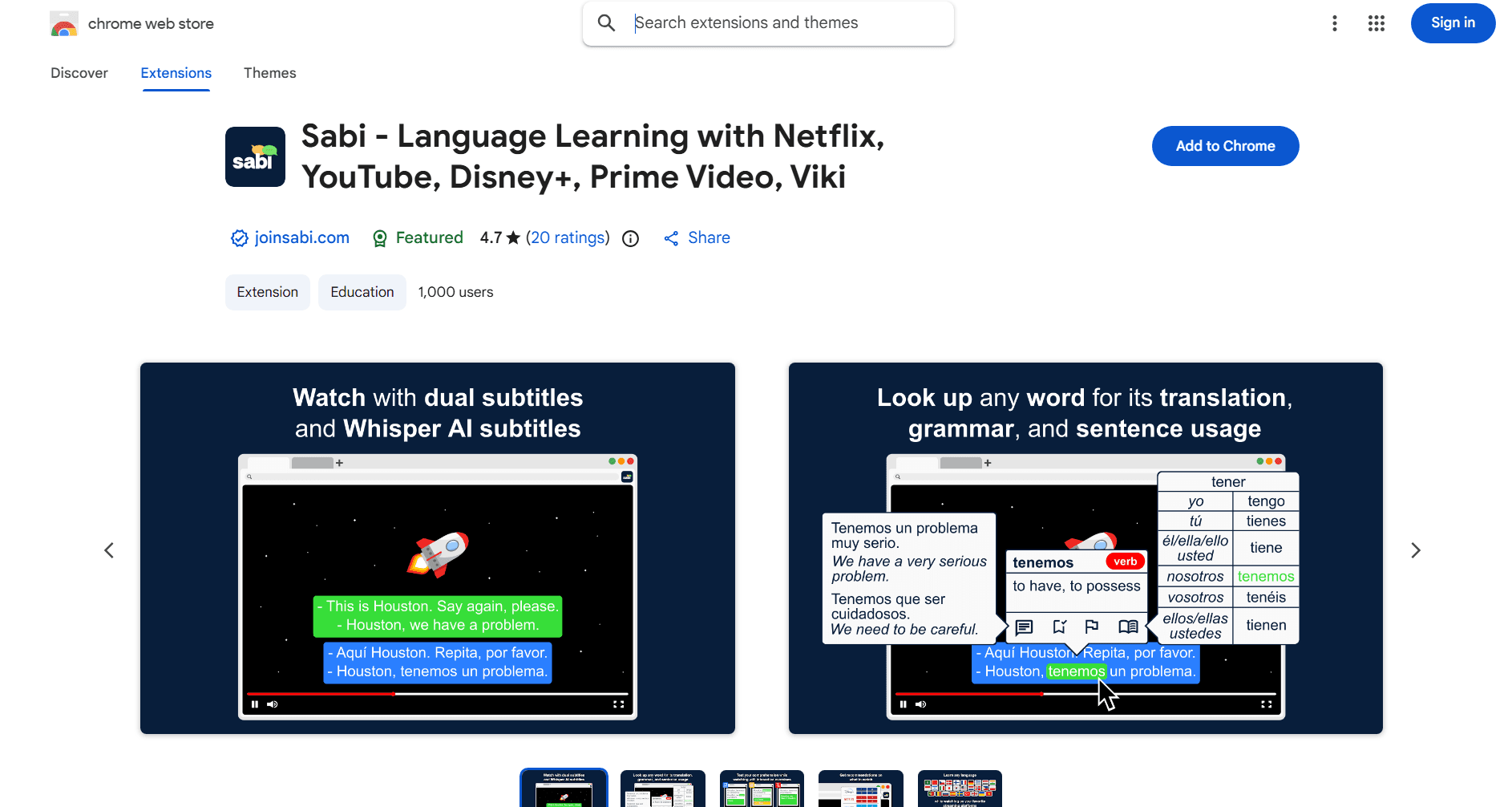
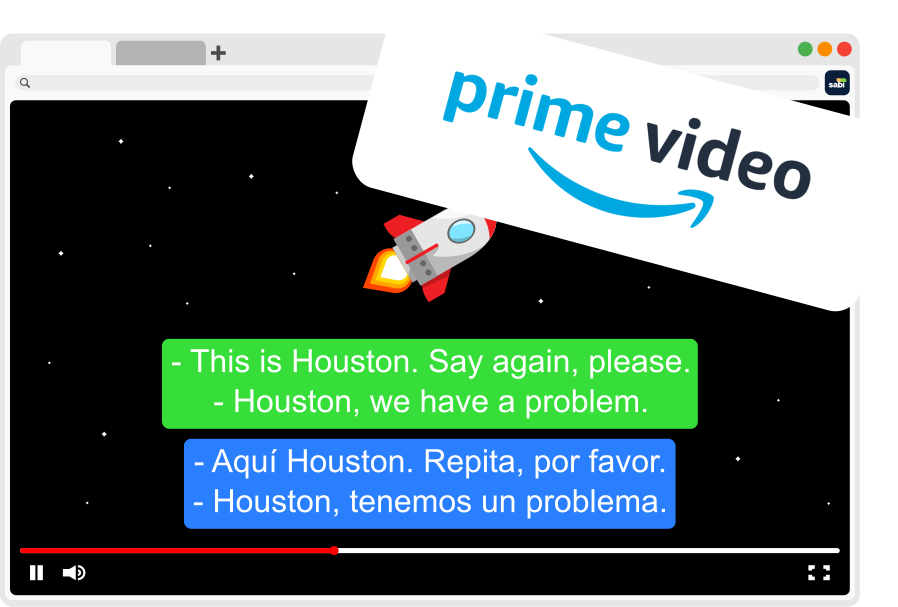
2. Watch with Dual Subtitles: Sabi supports dual subtitles, letting you see both your target language and your native language at the same time. This helps you connect meaning to sound, recognize patterns, and quickly understand new words as they appear on screen.
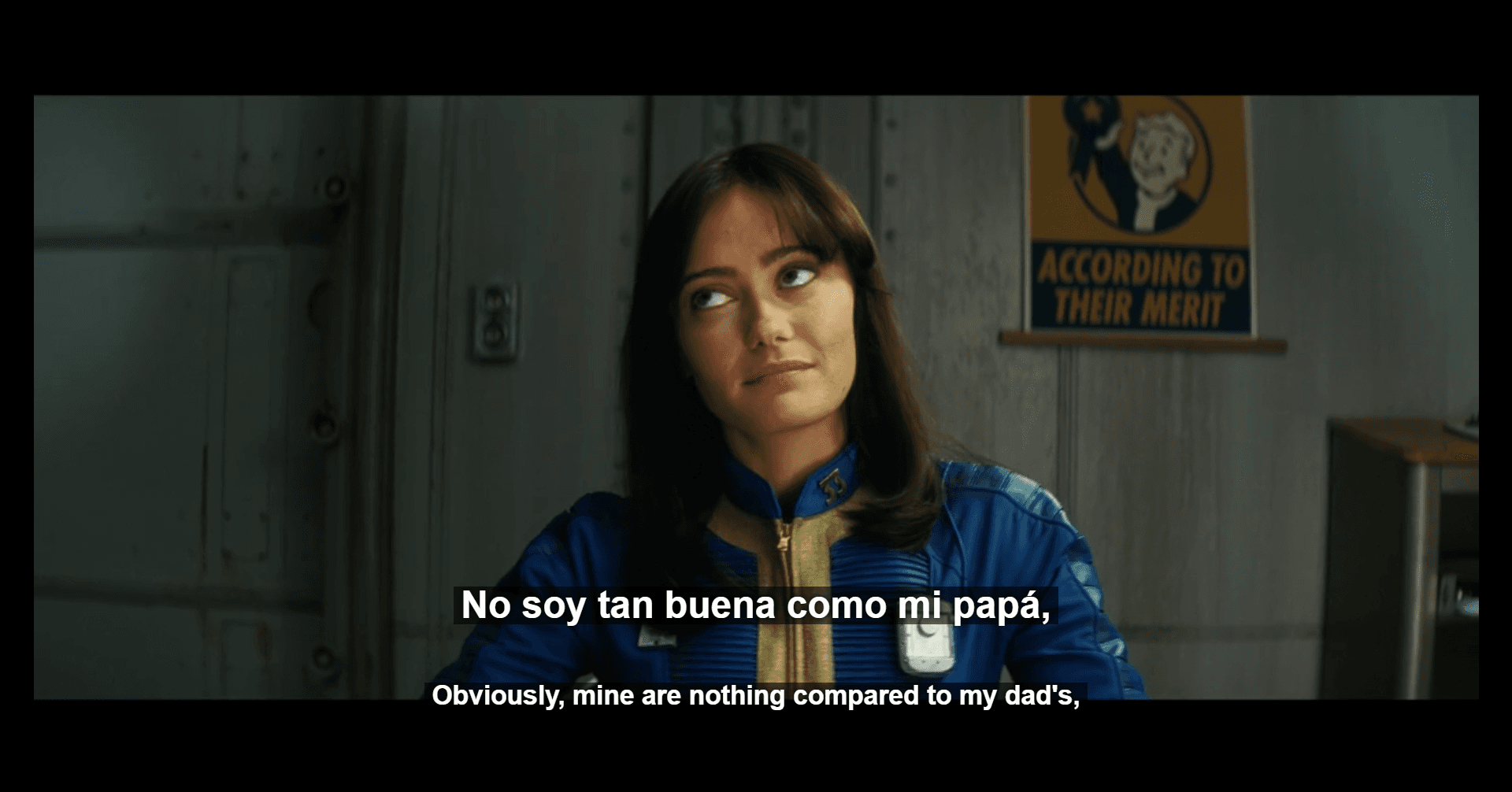
3. Hover for Instant Explanations: Don't recognize a word or phrase? Just hover over it! Sabi instantly shows you translations, pronunciations, and example usages, so you can learn without pausing or breaking immersion.
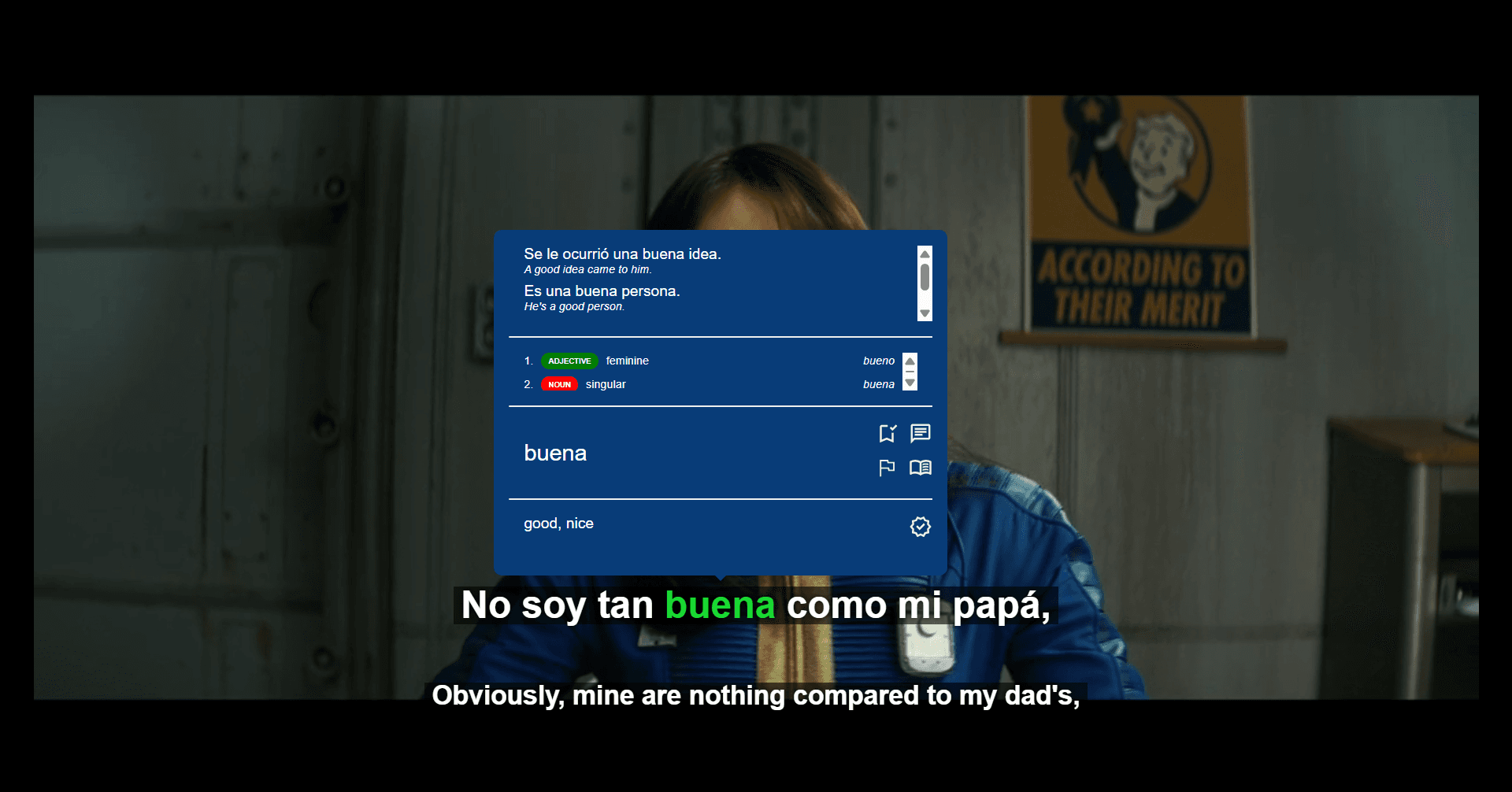
4. Auto-Pause for Speaking Practice: Sabi's auto-pause feature stops playback after each subtitle line, giving you time to repeat out loud, imitate the actors' pronunciation, and reinforce what you hear.
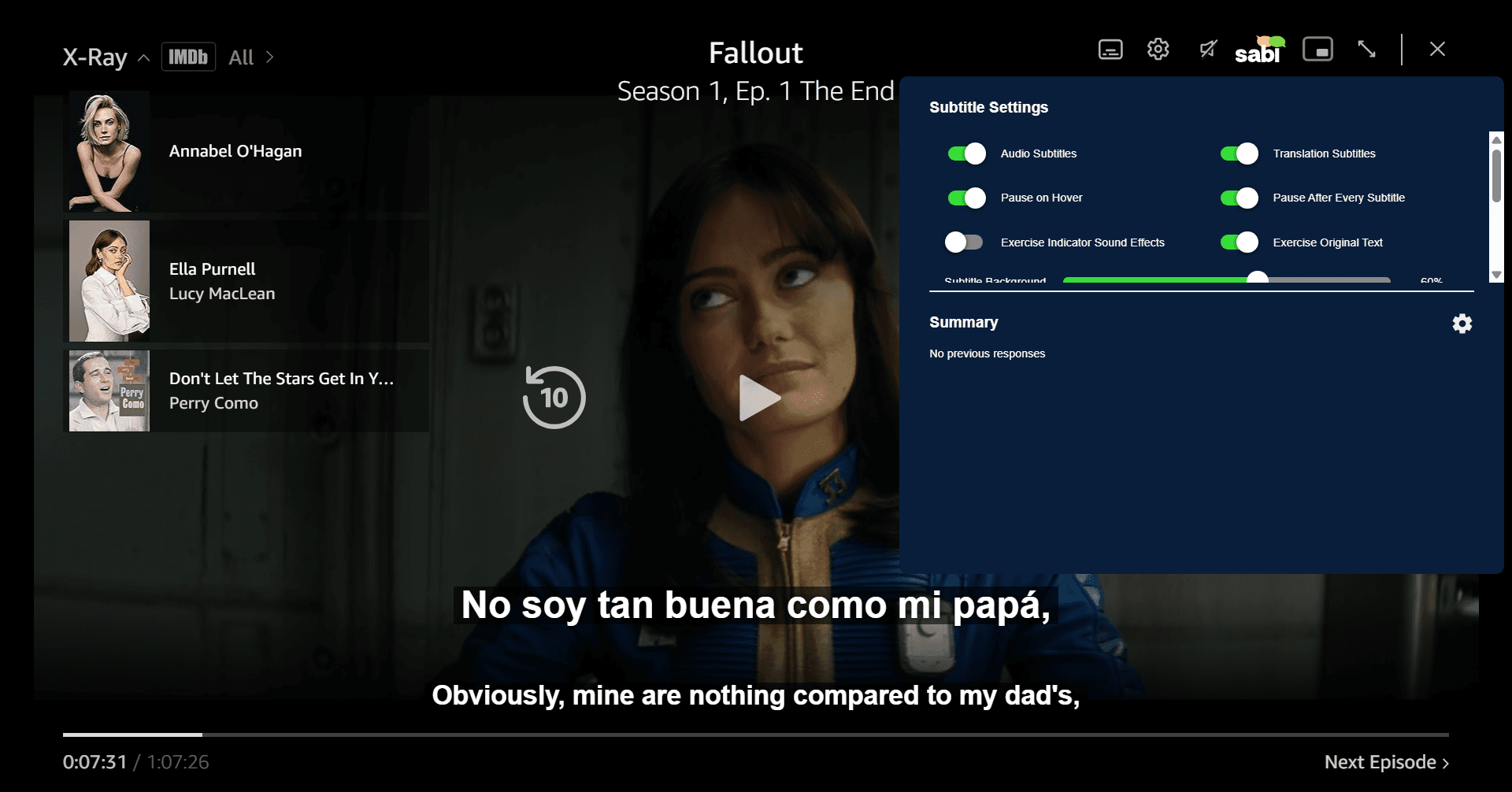
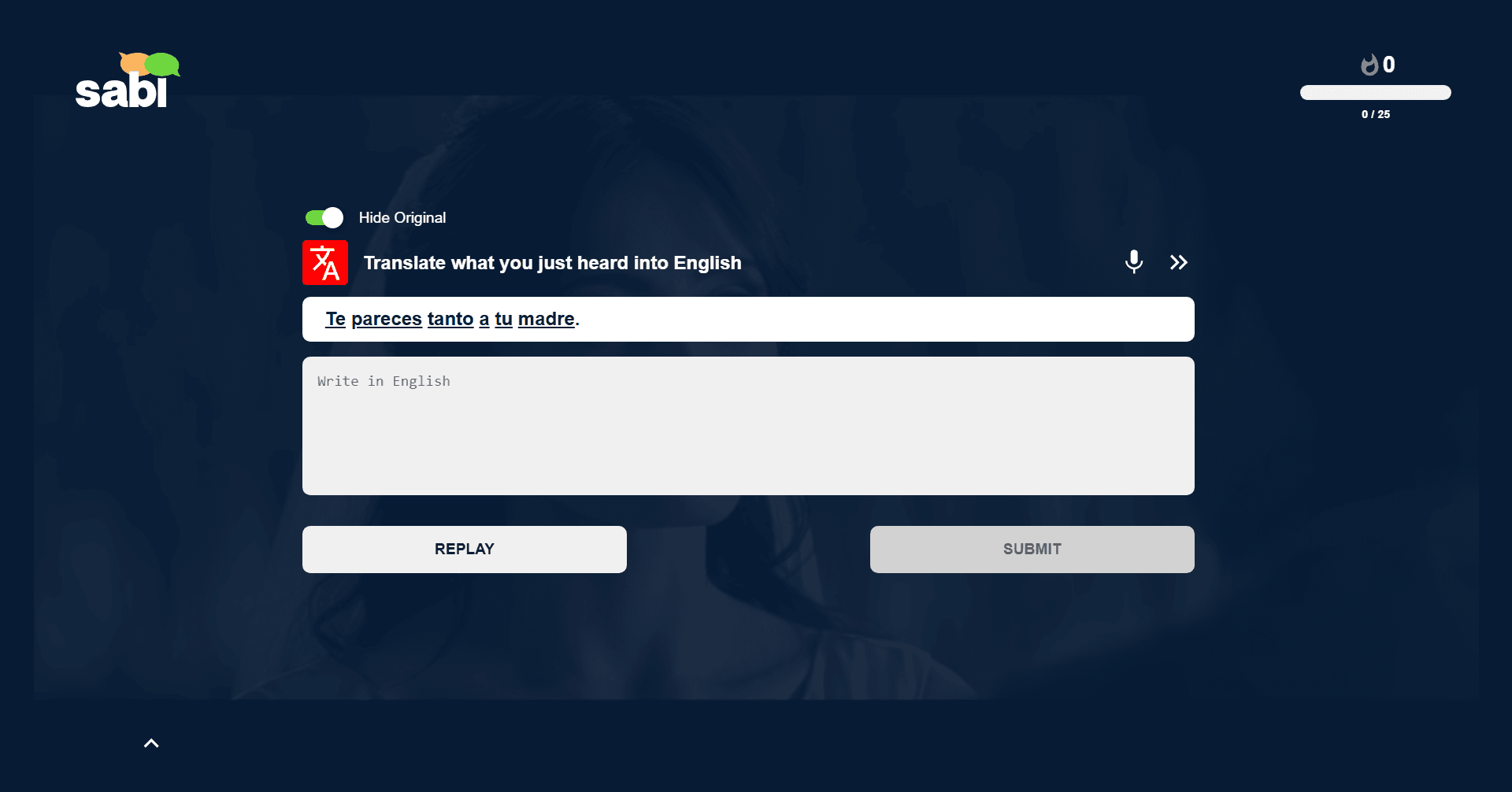
5. Practice with Interactive Exercises: During your watching session, Sabi automatically gives you interactive exercises where you are tested on vocabulary, grammar, and translation.
🧩 Tips for Learning a Language with Prime Video
To make the most out of your study sessions, here are a few practical tips:
— Start with shows you already know: It's easier to follow along if you're familiar with the story.
— Choose genres with clear dialogue: Sitcoms, children's shows, and dramas are great for natural conversation.
— Rewatch favorite scenes: Repetition helps reinforce listening and comprehension skills.
— Engage actively: Don't just watch but also pause, repeat, and mimic what you hear.
🎬 Our Top Content Recommendations
For Learning Japanese 🇯🇵 : Start with Anime and Dramas
Anime is ideal for learners because voice actors usually speak clearly and use standard grammar. However, TV dramas and movies are also invaluable as they expose you to realistic conversations and polite vs. casual speech. Beginners should focus on modern slice-of-life content and avoid any historical or complex dramas.
👉 Check out the Best Movies and Shows on Prime Video for Learning Japanese
For Learning Korean 🇰🇷 : Dive into K-Dramas and Movies
K-dramas and films are excellent for learning natural, conversational speech and cultural honorifics. Beginners should look for modern rom-coms which use everyday vocabulary, while avoiding historical dramas (Sageuk) that use archaic language.
👉 Check out the Best Movies and Shows on Prime Video for Learning Korean
For Learning Spanish 🇪🇸 : Learn with Shows and Movies
It's best to start watching shows and movies that get you used to natural pacing. Beginners should start with light comedies and family-friendly series, before moving on to fast-paced dramas or dialect-heavy content.
👉 Check out the Best Movies and Shows on Prime Video for Learning Spanish
❓ Frequently Asked Questions
Can you really learn a language just by watching Prime Video?
Yes, but only if you combine watching with active techniques. Passive watching alone is slow, so be sure to actively engage with the content by looking up words you don't know and repeating aloud various phrases. Using tools like Sabi to add dual subtitles, instant translations, and exercises will dramatically accelerate your progress and make the whole experience more enjoyable.
How do you get dual subtitles on Prime Video?
Prime Video does not support dual subtitles natively, but you can use tools like Sabi to:
— Display two subtitle tracks
— Blur subtitles
— Show word translations
— Practice with interactive exercises
Does Language Reactor work on Prime Video?
Language Reactor does not support Prime Video, as it only works with Netflix and YouTube. If you want features like dual subtitles, instant word translations, and interactive exercises while watching on Prime Video, you should use tools like Sabi that are directly integrated into Prime Video.
How long should I watch per day?
Even 20 to 30 minutes daily is powerful if done consistently. It's more important that you're paying attention and engaging with the video, rather than trying to reach a certain amount of time.
🎯 Final Thoughts
Turning Prime Video into a language-learning tool is easier than ever thanks to tools like Sabi. Instead of just watching for fun, you can now use your favorite shows to build vocabulary, improve listening, and reinforce grammar in context. All it takes is a Chrome browser, your Prime Video subscription, and Sabi to start turning screen time into study time.