14 Best Language Learning Chrome Extensions
Dernière mise à jour :
Learning a new language shouldn't feel like a chore. In fact, the most effective way to reach fluency isn't through textbooks or grammar drills, but through immersion. Whether it's binge-watching K-Dramas on Netflix, falling down a YouTube rabbit hole, or reading the news in Spanish, consuming native content is the key to sounding like a local. (If you're new to immersion, check out our deep dive on how to learn a language with Netflix.)
However, diving into native media can be overwhelming. If you look up every single word, you lose the flow of the story. If you ignore the words you don't know, you stop learning.
That's where Chrome extensions come in. These powerful browser tools bridge the gap, turning your favorite streaming platforms and websites into interactive language lessons. But with hundreds of options in the Web Store, which ones actually work?
We’ve tested and curated the 14 best language learning Chrome extensions, splitting them into two essential categories: Video Immersion and Web Browsing.
Short on time? Here's a quick comparison of the top video tools to help you decide.
Quick Comparison: Top Video Learning Extensions
Feature | Sabi | Language Reactor | Migaku | Trancy | LingoPie | Iago | InterSub | FluentAI |
|---|---|---|---|---|---|---|---|---|
Netflix | ✅ | ✅ | ✅ | ✅ | ❌ | ✅ | ✅ | ✅ |
YouTube | ✅ | ✅ | ✅ | ✅ | ❌ | ✅ | ✅ | ✅ |
Disney+ | ✅ | ❌ | ✅ | ✅ | ❌ | ✅ | ❌ | ✅ |
Prime Video | ✅ | ❌ | ❌ | ❌ | ❌ | ❌ | ✅ | ✅ |
Rakuten Viki | ✅ | ❌ | ✅ | ❌ | ❌ | ❌ | ❌ | ❌ |
Dual Subtitles | ✅ | ✅ | ✅ | ✅ | ✅ | ✅ | ✅ | ✅ |
Word Translations | ✅ | ✅ | ✅ | ✅ | ✅ | ✅ | ✅ | ✅ |
In-Video Exercises | ✅ | ❌ | ❌ | ❌ | ✅ | ✅ | ❌ | ❌ |
Monthly Price | €1,84 | €2,98 | €5,27 | €2,98 | €5,96 | €6,78 | €5,14 | €7,13 |
Category 1: Best for Video Streaming (Netflix/YouTube/etc.)
1. Sabi
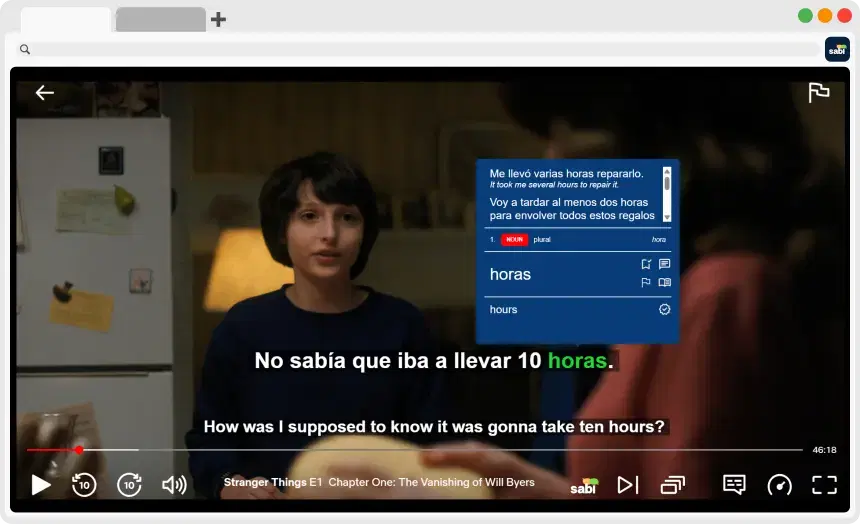
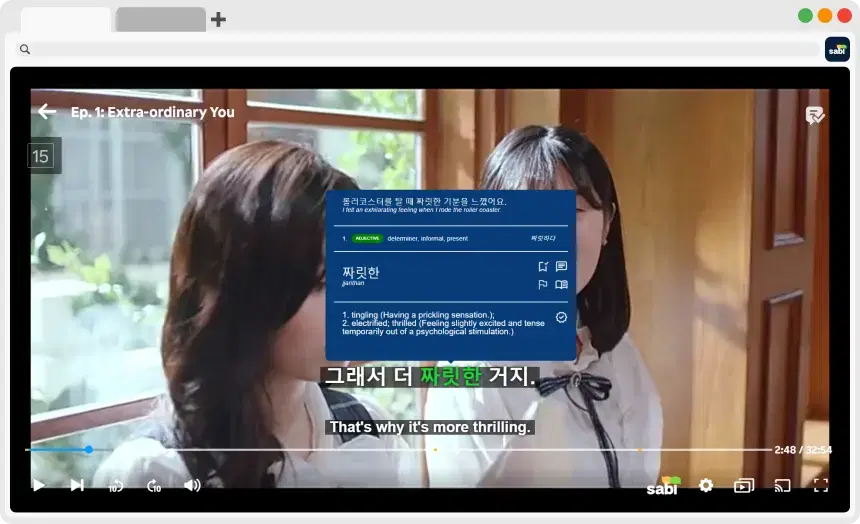
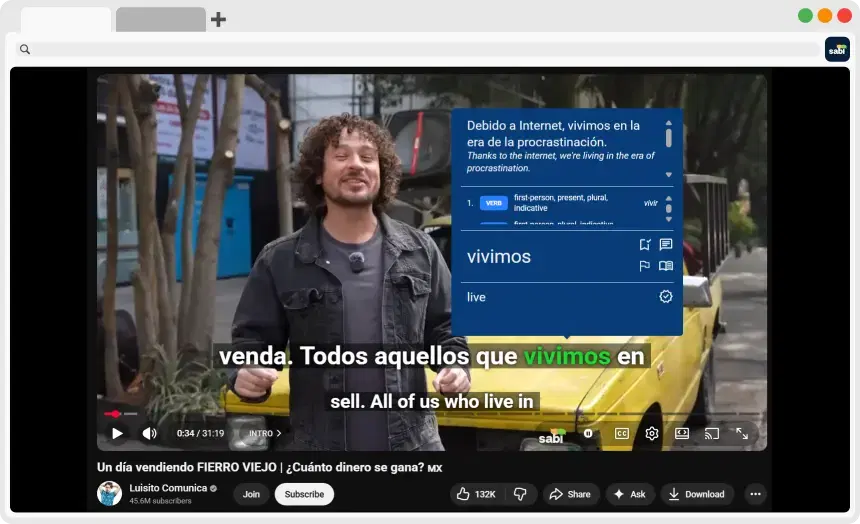
Sabi is the perfect companion for language learners who love watching shows and videos. By providing AI-powered subtitles and interactive exercises, Sabi makes it easier to understand and retain new words and phrases.

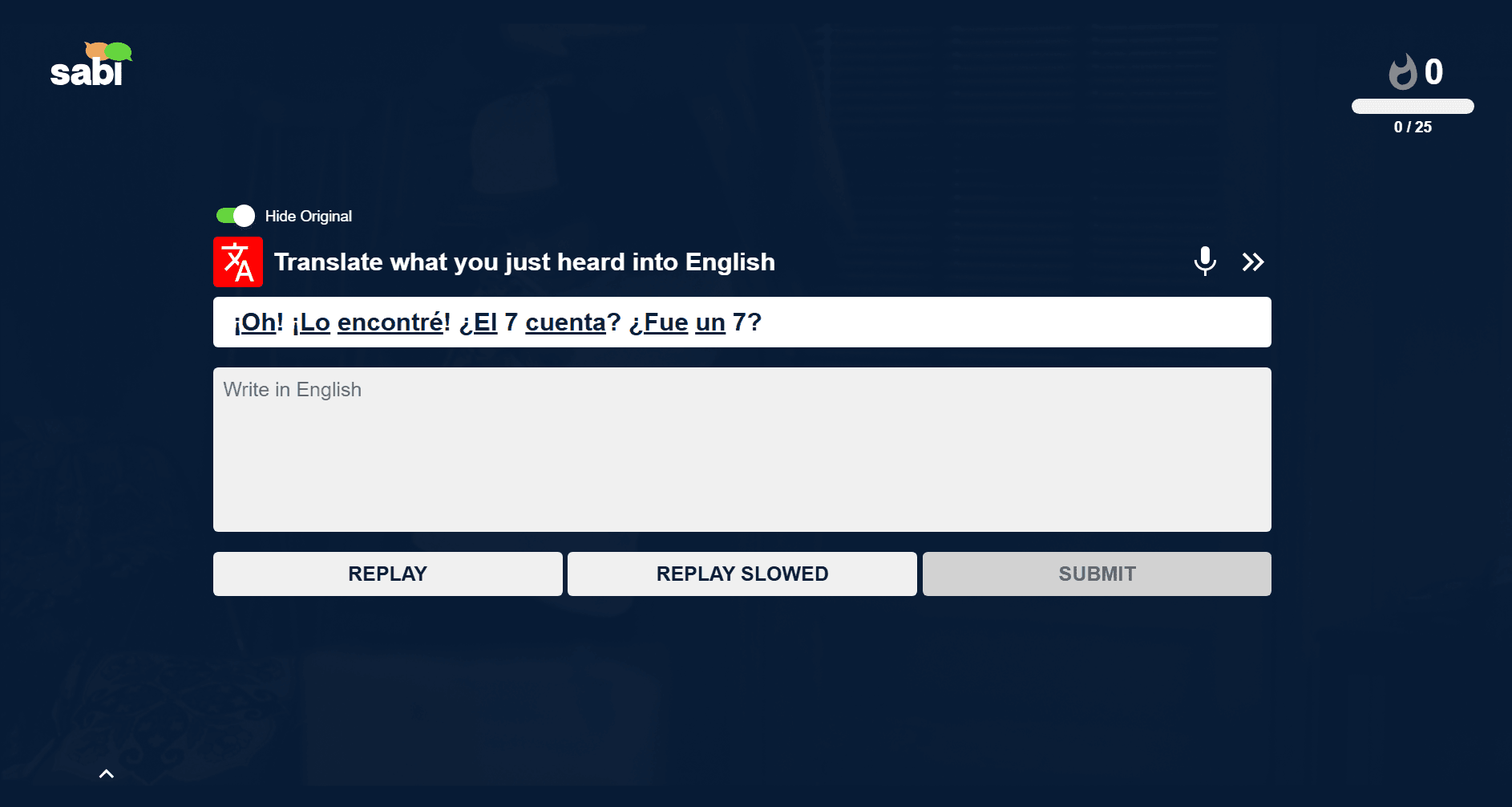
Key Features:
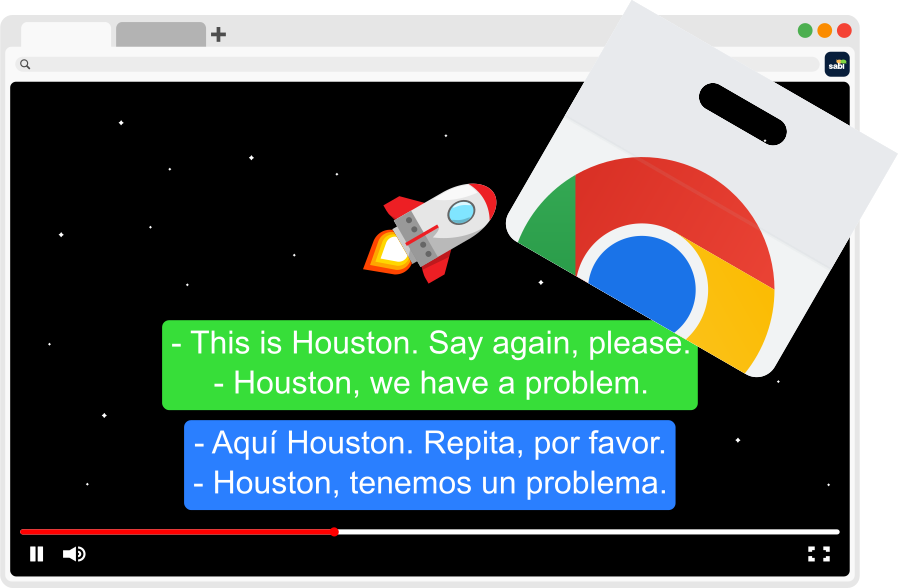
— Dual Subtitles: Enable both your target and native language subtitles.
— AI Subtitles (Fixes Mismatched Subtitles): Tired of dubs not matching the subtitles? Watch with Whisper AI generated subtitles that match what's actually being said.
— Word Hovering: Instantly view translations, pronunciations, and example sentences.
— Interactive Exercises: Practice speaking, listening, and vocabulary with personalized exercises.
— Auto-Pause: Automatically pause after subtitles to give you time to process the dialogue.
2. Language Reactor
Language Reactor is another excellent tool for language learners. It adds dual subtitles to videos on platforms like YouTube and Netflix, making it easier to follow along in both your target language and your native language.

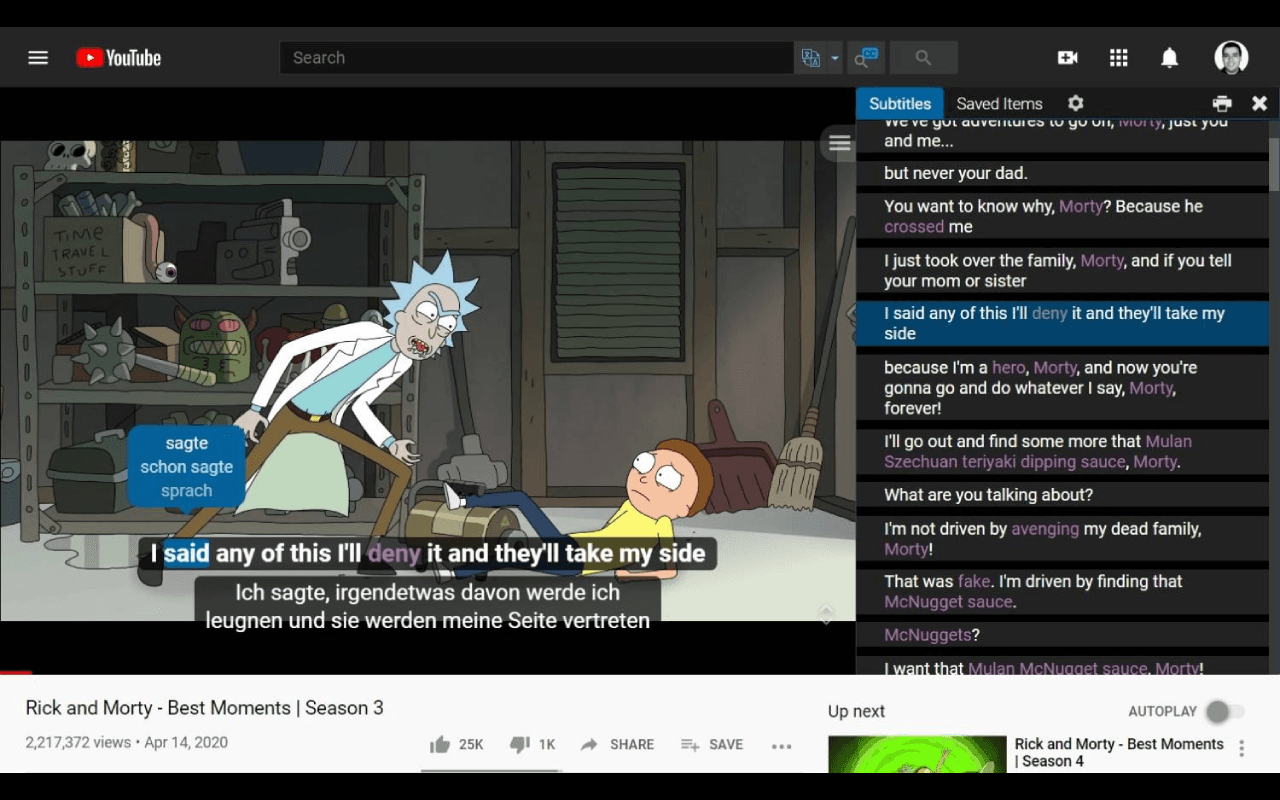
Key Features:
— Dual subtitles for side-by-side comparisons
— Vocabulary tracking and saving words for later
— Built-in dictionaries for quick translations
Pros & Cons:
✅ Pro: Huge community and established Netflix integration
❌ Con: Limited platform support and many reported bugs
👉 Trying to decide? Read our full breakdown of Language Reactor vs. Sabi, or check whether Language Reactor works on your platform.
3. Migaku
Migaku is great for people that want to improve their language skills through interactive subtitles, especially while watching Japanese content.
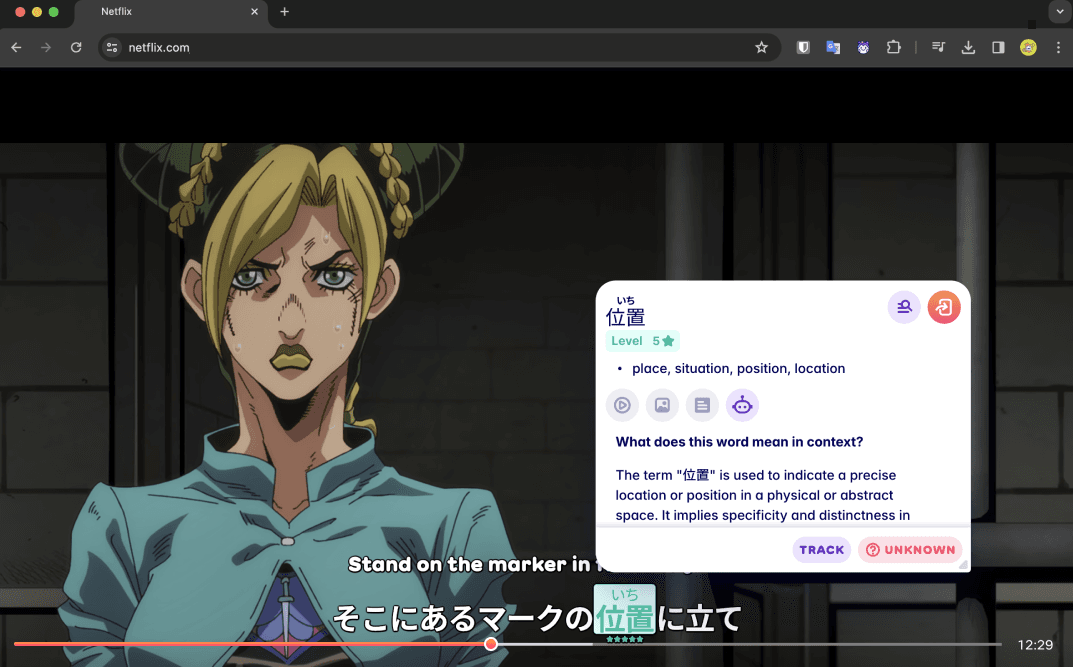
Key Features:
— Interactive subtitles with instant translations
— Word lookups with pronunciation and context
— Focus on Japanese through authentic media
Pros & Cons:
✅ Pro: Deep integration with Anki and custom study workflows
❌ Con: High price tag
👉 Trying to decide? Read our full breakdown of Migaku vs. Sabi
4. Trancy
Trancy is great for people that want to improve their language skills through interactive subtitles while watching their favorite content.
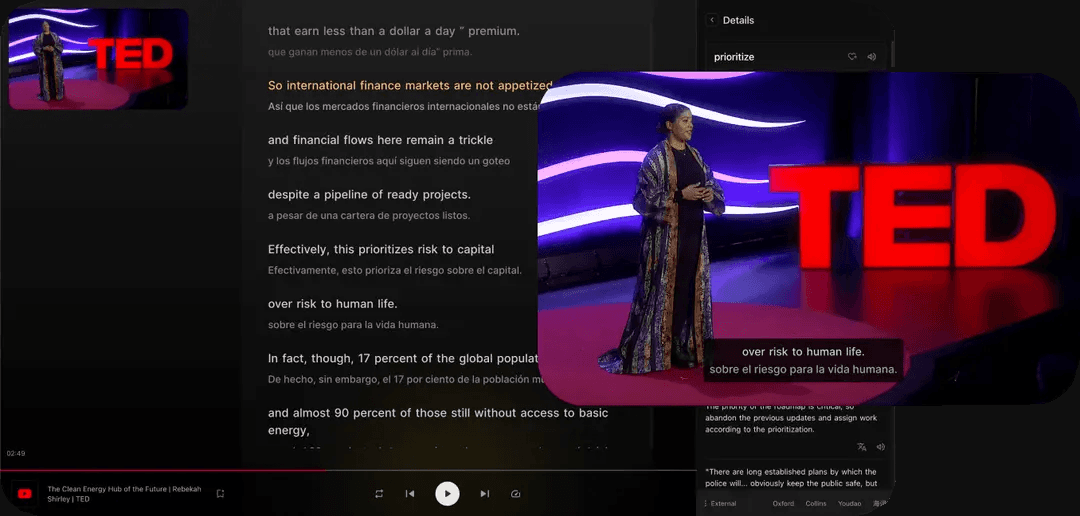
Key Features:
— Interactive subtitles with word breakdowns
— Contextual learning
— Quick access to dictionaries for word lookup
Pros & Cons:
✅ Pro: Large community and reliable bilingual subtitles
❌ Con: Complex interface and UI, with inconsistent translation quality
👉 Trying to decide? Read our full breakdown of Trancy vs. Sabi
5. LingoPie
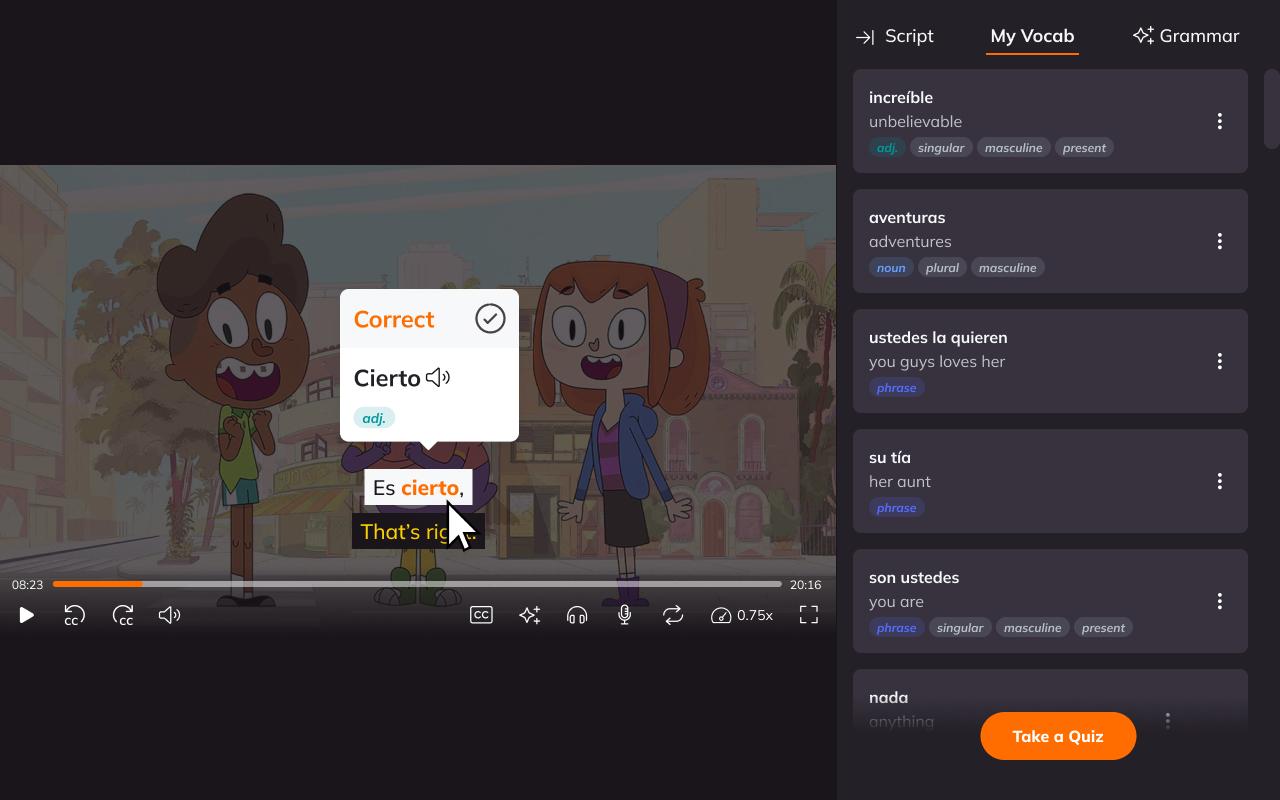
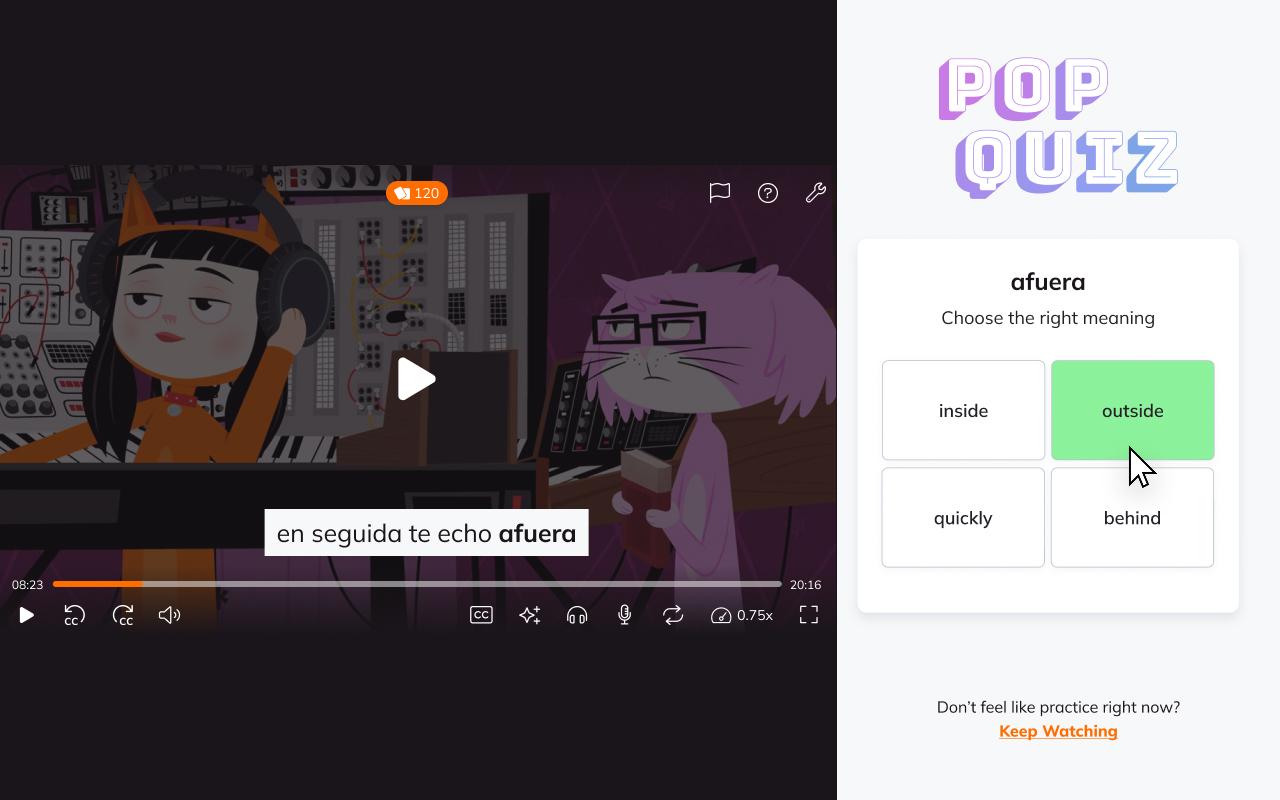
Lingopie is both a platform and an extension, offering immersive learning through pop culture videos and real-world content.
Key Features:
— Dual subtitles with clickable translations
— Word and phrase flashcards automatically generated
— Review what you've learned through built-in practice tools
Pros & Cons:
✅ Pro: Curated library optimized for language learners
❌ Con: High price tag and limited content
👉 Trying to decide? Read our full breakdown of Lingopie vs. Sabi
6. Iago
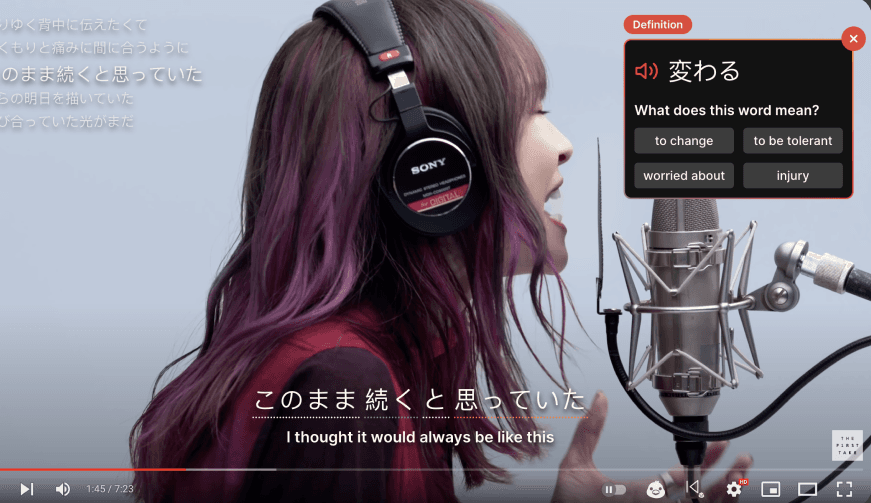
Iago is designed for Japanese learners who want deep, context-driven language immersion while watching videos.
Key Features:
— Interactive subtitles with contextual explanations
— Dictionary with overview of all words encountered
— Emphasis on natural usage and comprehension
Pros & Cons:
✅ Pro: Contextual learning and grammar tracking
❌ Con: High price tag and limited subtitle translation options
7. InterSub
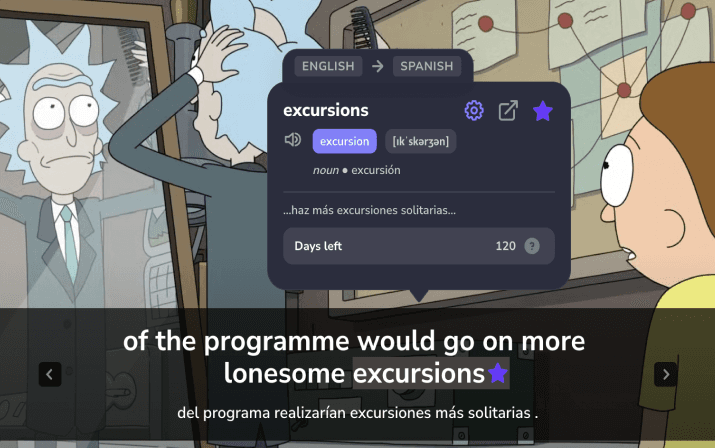
InterSub is powerful for learners who want instant, in-video word lookups while watching content on platforms like YouTube and Netflix.
Key Features:
— Clickable subtitles with instant definitions
— One-click word saving for later review
— Works on multiple streaming platforms
Pros & Cons:
✅ Pro: Works with multiple platforms
❌ Con: High price tag and some languages lack depth
8. FluentAI
FluentAI uses AI to enhance subtitles and translations, making it easier to understand complex sentences and nuanced speech in real time.

Key Features:
— AI-enhanced subtitle translations
— Grammar-aware AI explanations
— Designed to improve fluency through real-world content
Pros & Cons:
✅ Pro: Multiple platform support and AI features
❌ Con: High price tag and possible browser strain due to heavy AI features
Quick Comparison: Top Browsing Learning Extensions
Feature | Toucan | Readlang | eJOY | Rememberry | NeonLingo | Ries |
|---|---|---|---|---|---|---|
General Web Browsing | ✅ | ✅ | ✅ | ✅ | ✅ | ✅ |
Passive Vocabulary Exposure | ✅ | ✅ | ✅ | ✅ | ✅ | ✅ |
Word Translations | ✅ | ✅ | ✅ | ✅ | ✅ | ✅ |
Vocabulary Saving | ✅ | ✅ | ✅ | ✅ | ✅ | ✅ |
Audio Pronunciation | ✅ | ✅ | ✅ | ✅ | ✅ | ❌ |
Minimal UI | ✅ | ❌ | ❌ | ❌ | ✅ | ✅ |
Monthly Price | €4,29 | €3,43 | €4,29 | €3,83 | €4,29 | €1,73 |
Category 2: Best for Browsing
1. Toucan
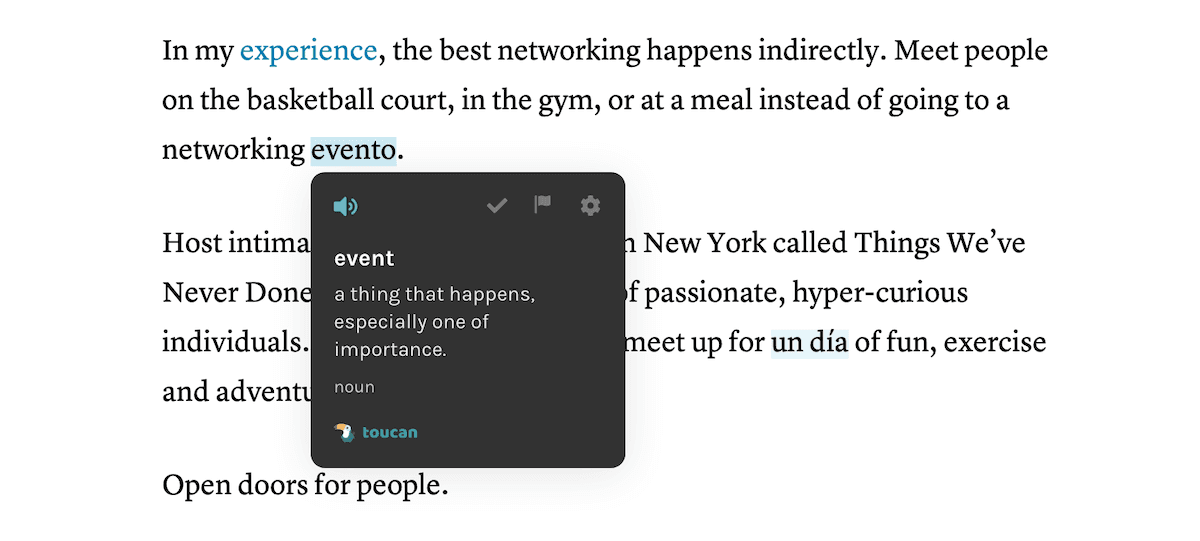
Toucan helps you passively absorb vocabulary by replacing words on websites with their translations in your target language. This gentle exposure builds familiarity without interrupting your regular web browsing.
Key Features:
— Translates select words in real-time on web pages
— Supports multiple languages
— Includes audio pronunciation and contextual use
Pros & Cons:
✅ Pro: Easy and passive immersion
❌ Con: Limited to vocabulary, with little grammatical depth
2. Readlang Web Reader
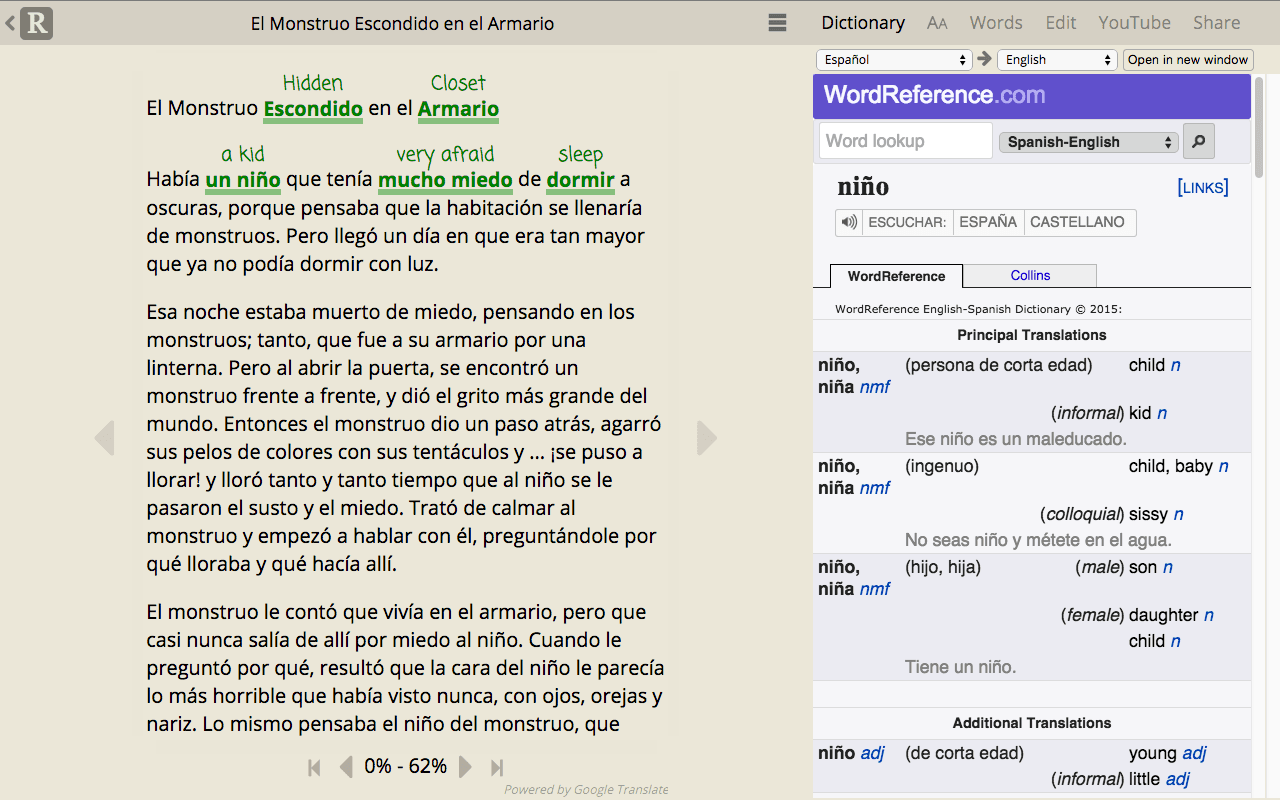
Readlang is a reading-focused extension that helps you translate and save words while reading articles or books online.
Key Features:
— Click on any word or phrase for a translation
— Save vocabulary to review later using flashcards
— Works with nearly any web page
Pros & Cons:
✅ Pro: Instant in-context translations
❌ Con: Strict free tier limits and reliance on machine translation
3. eJOY AI Dictionary
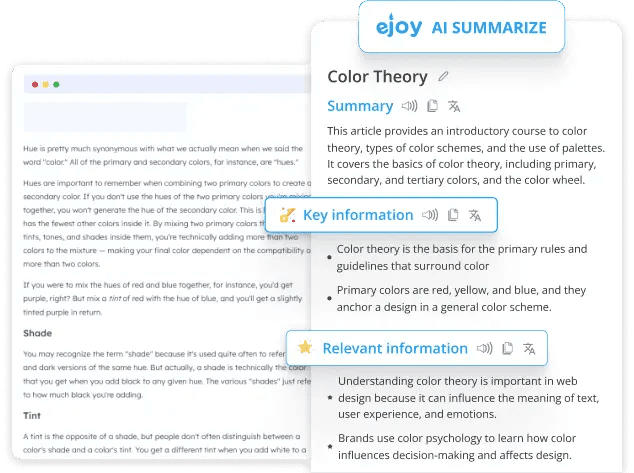
eJOY AI Dictionary helps you look up and save new vocabulary instantly while watching videos, reading, or browsing the web. It's ideal for learners who want contextual understanding and spaced repetition learning.
Key Features:
— Instantly look up words with definitions, pronunciation, and usage
— Save words to a personalized wordbook
— Practice with games and spaced repetition flashcards
— Works on Netflix, YouTube, and general web pages
Pros & Cons:
✅ Pro: Provides context-aware AI definitions
❌ Con: Lacks traditional dictionary data depth
4. Rememberry
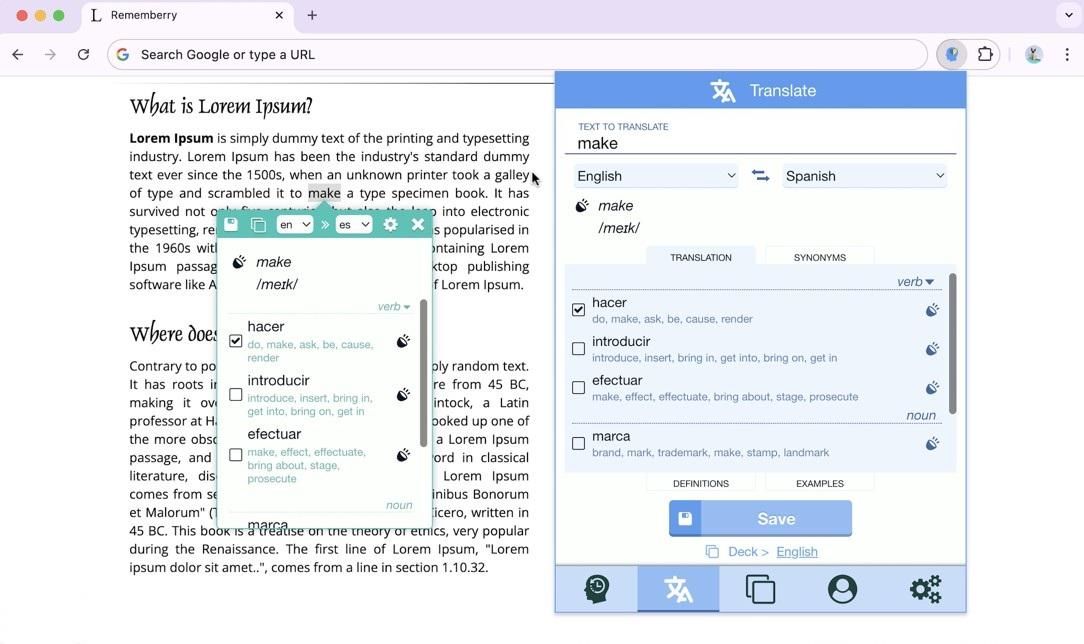
Rememberry enhances your language learning by offering fast translations and customizable flashcards based on the words you look up while browsing.
Key Features:
— Translate words and phrases by highlighting or right-clicking
— Create custom flashcard decks with spaced repetition
— Supports text-to-speech and multiple languages
Pros & Cons:
✅ Pro: Seamless integration for spaced repetition
❌ Con: Feature heavy to the point that it can be overwhelming for new users
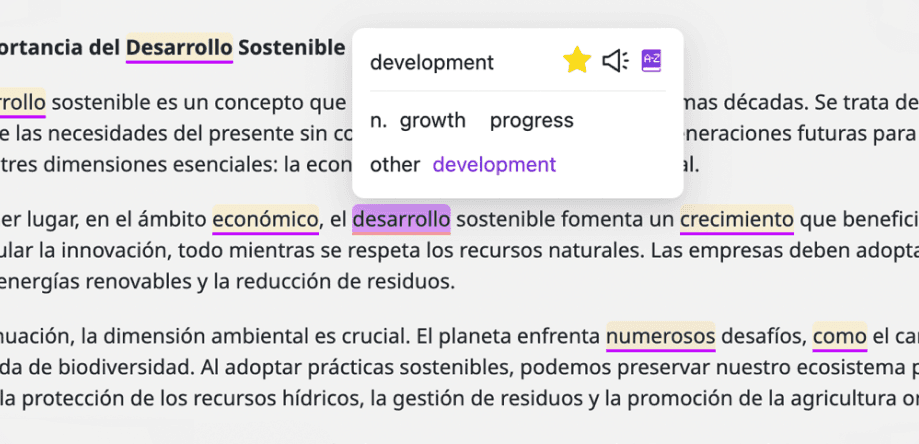
5. NeonLingo
NeonLingo helps you memorize words while browsing any website in a foreign language.
Key Features:
— Hover over any word and get its translation
— Easily save words for later review
— Vocabulary review to help memorize and learn
Pros & Cons:
✅ Pro: Frictionless learning in context
❌ Con: Can disrupt normal browsing by cluttering up the webpage
6. Ries
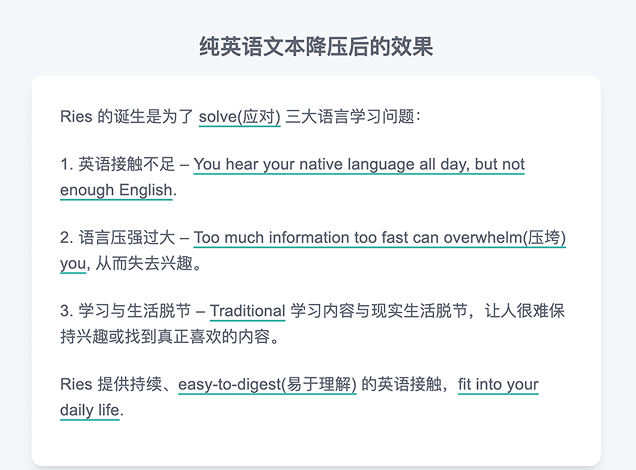
Ries focuses on helping you understand foreign-language text as you browse the web.
Key Features:
— Translate words and phrases directly on web pages
— Save vocabulary for later review
— Clean, minimal interface designed for reading flow
Pros & Cons:
✅ Pro: Easy integration with contextual nuance
❌ Con: Possible privacy concerns depending on the user data given
The Verdict: Which Extension Should You Choose?
The best language learning tool is the one you actually use. While there is no magic pill for fluency, these Chrome extensions remove the friction from the learning process. They allow you to study during your downtime, whether that be when watching a movie or reading an article.
To recap, here are our top recommendations based on your learning style:
For Video & Streaming: If you want to learn with Netflix, YouTube, Disney+, Prime Video, or Rakuten Viki, Sabi is the standout choice. It is the only extension that supports all major streaming platforms and includes interactive exercises to ensure you retain what you learn.
For Web Browsing: If you prefer reading articles and blogs, tools like Toucan or Rememberry are excellent companions for turning your daily browsing into a vocabulary-building session.
Don't try to install all 14 at once! Pick the one that fits your language needs and daily routine. Happy learning!
❓ Frequently Asked Questions
What is the best Chrome extension for learning a language?
For learning through video on Netflix, YouTube, Disney+, Prime Video, and Rakuten Viki, Sabi is the most complete option because it's the only extension that supports all five platforms and adds interactive exercises on top of dual subtitles and a hover dictionary. For passive vocabulary while reading the web, Toucan is the easiest to live with.
Are language learning Chrome extensions free?
Most have a free tier with basic dual subtitles or word lookups, and charge for advanced features like AI subtitles, unlimited saved words, or exercises. Paid plans among the extensions in this list range from about €1,73 to €7,13 per month.
Do these extensions work on Safari or Firefox?
Most are built for Chromium browsers such as Chrome, Edge, Brave, and Opera. A few, including Trancy, offer a Firefox build. Safari support is rare, so check each extension's store page before switching browsers.
Can I use a Chrome extension to fix subtitles that don't match the audio?
Yes. Extensions that generate AI subtitles from the audio track, such as Sabi with Whisper AI, replace the mismatched official subtitles with captions based on what's actually spoken, which is especially useful for dubbed shows and anime.