

How to Get Dual Subtitles on Netflix
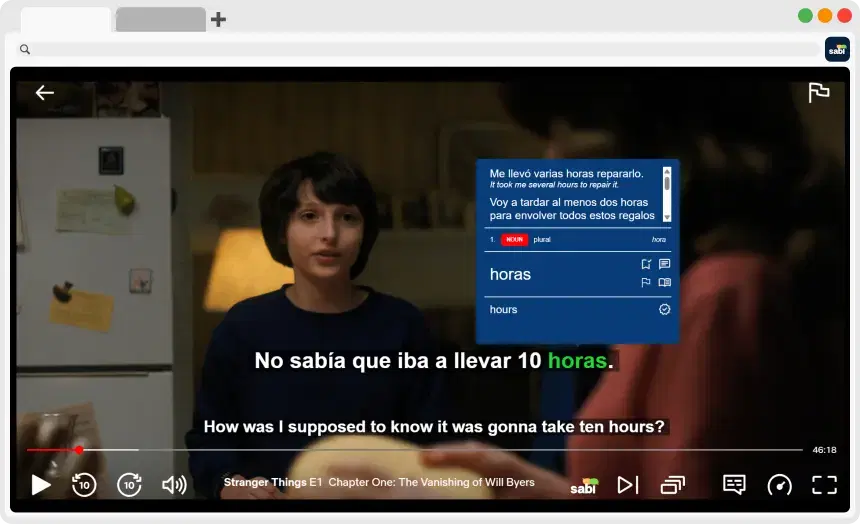
💡 Netflix can't show two subtitle languages at once on its own, but a browser extension can. Here's how to set it up on your computer in under a minute:
1. Install the Sabi Chrome Extension.
2. Open Netflix in your browser and play any show or movie.
3. On the Sabi startup screen, pick the audio language and the language to translate it into.
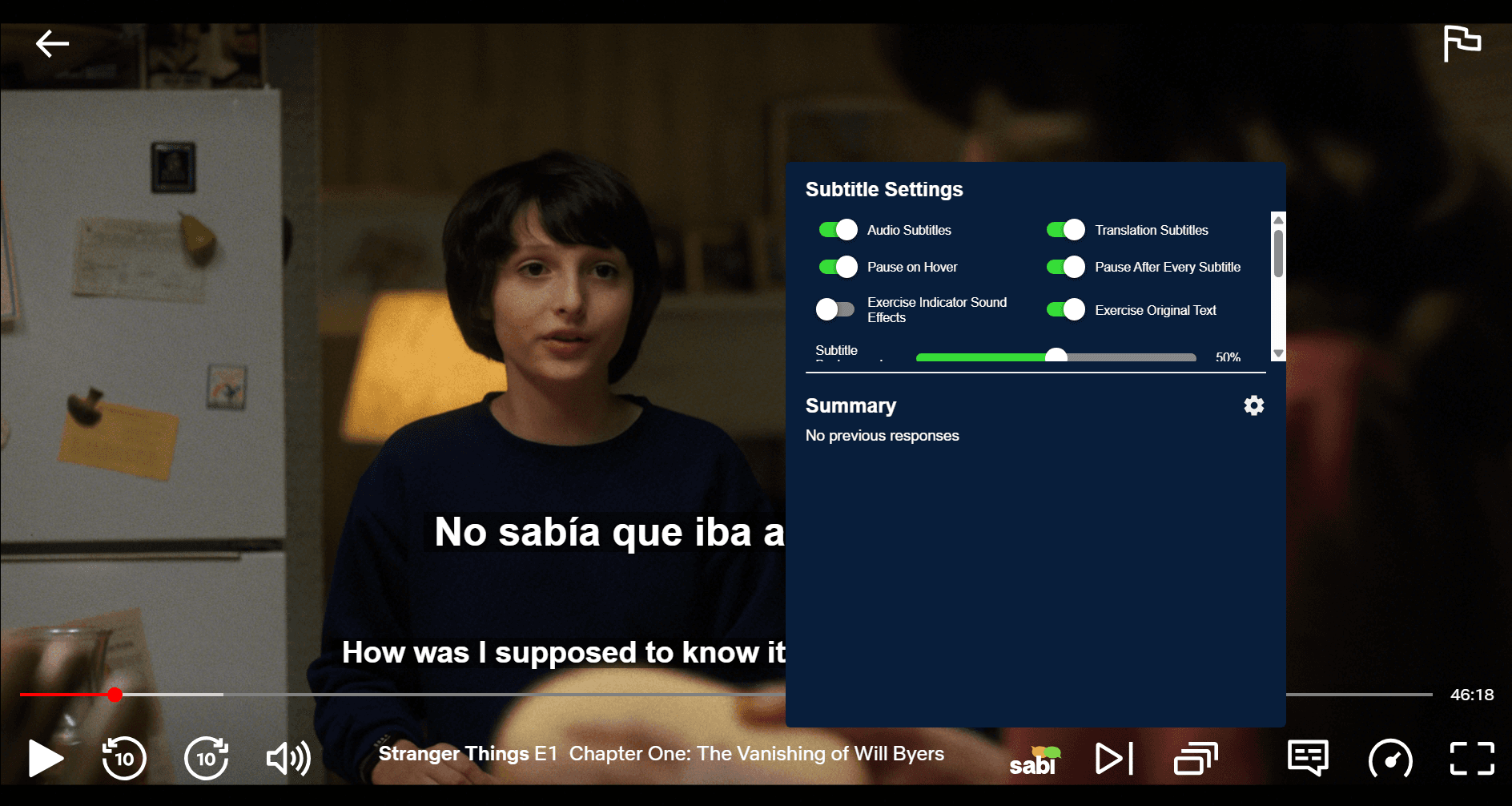
4. Make sure "Audio Subtitles" and "Translation Subtitles" are both on in Sabi's Subtitle Settings.
❓ Does Netflix Have Dual Subtitles?
No. Netflix's player shows one subtitle track at a time, both on its website and in its apps. There's no hidden setting or account option that adds a second one. To see two languages at once, you need a browser extension that displays a second line of subtitles on top of the Netflix player. So dual subtitles on Netflix currently require a computer. See what works on phones, tablets and TVs below.
📺 How to Turn On Dual Subtitles on Netflix
These steps use Sabi, which works in Chrome, Edge, Brave and Opera on your computer.
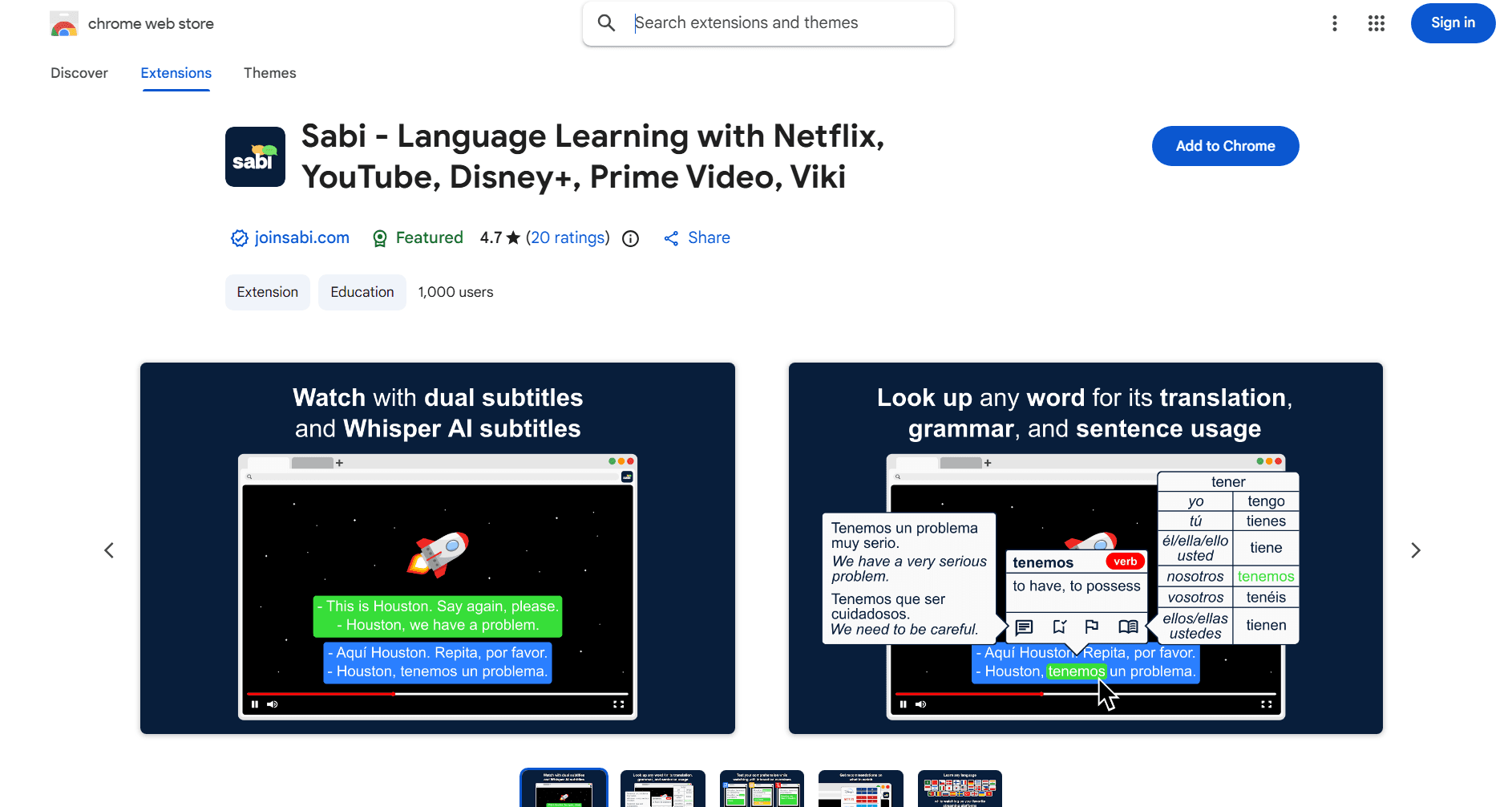
1. Install Sabi: Add the extension from the Chrome Web Store and pin it to your toolbar so it's easy to find.
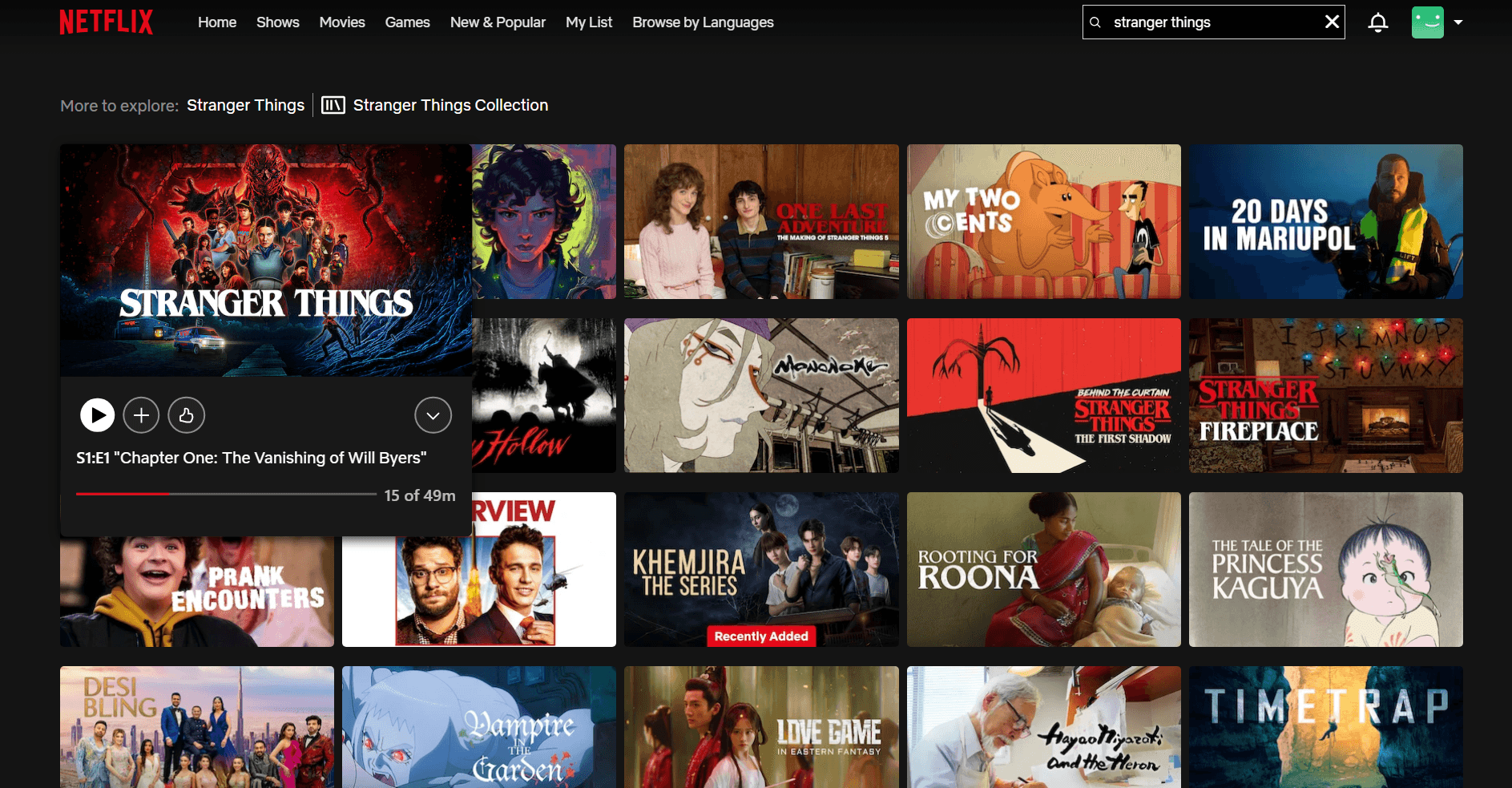
2. Open Netflix in your browser: Go to netflix.com and play any movie or episode. Sabi loads over the video player automatically. It won't work in the Netflix desktop app, so make sure you're using a browser.
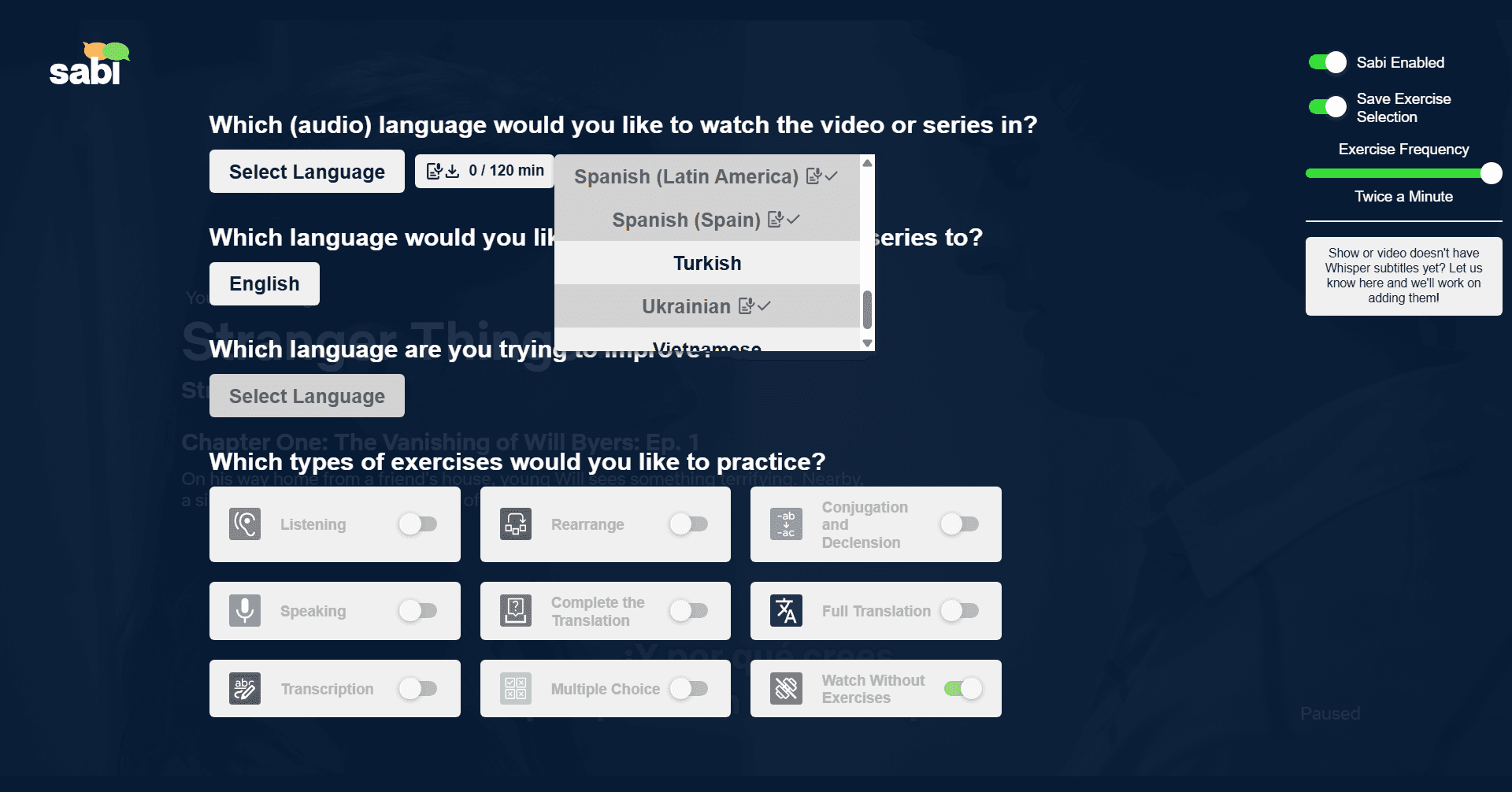
3. Choose your languages: On the Sabi startup screen, pick the audio language you want to watch in and the language to translate it into (usually your native language).
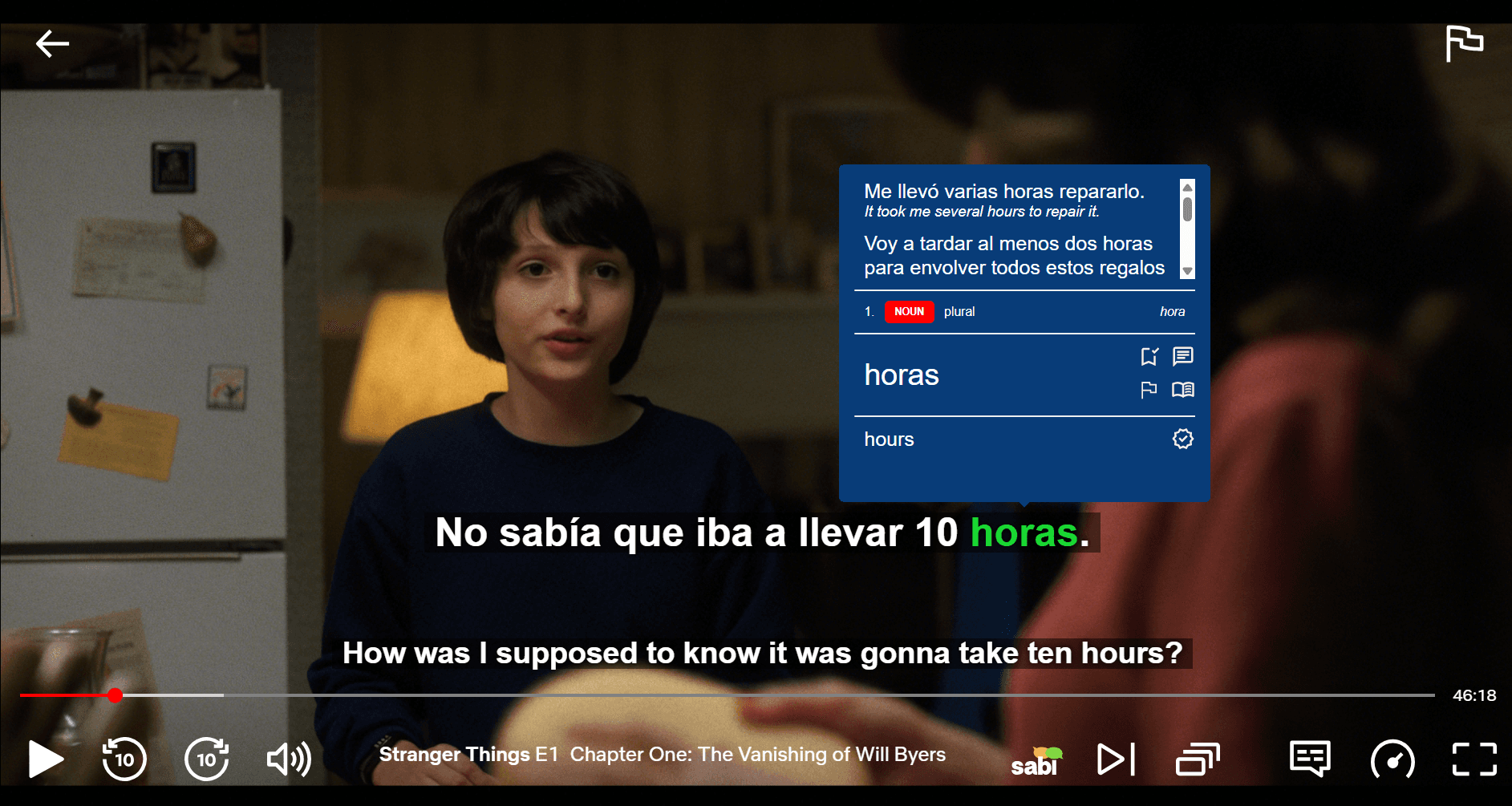
4. Turn on dual subtitles: Make sure "Audio Subtitles" and "Translation Subtitles" are both on in Sabi's Subtitle Settings. You'll now see both languages at once, one line above the other.

5. Hover over words you don't know: Sabi shows you the translation and grammar, so you don't have to leave the show.
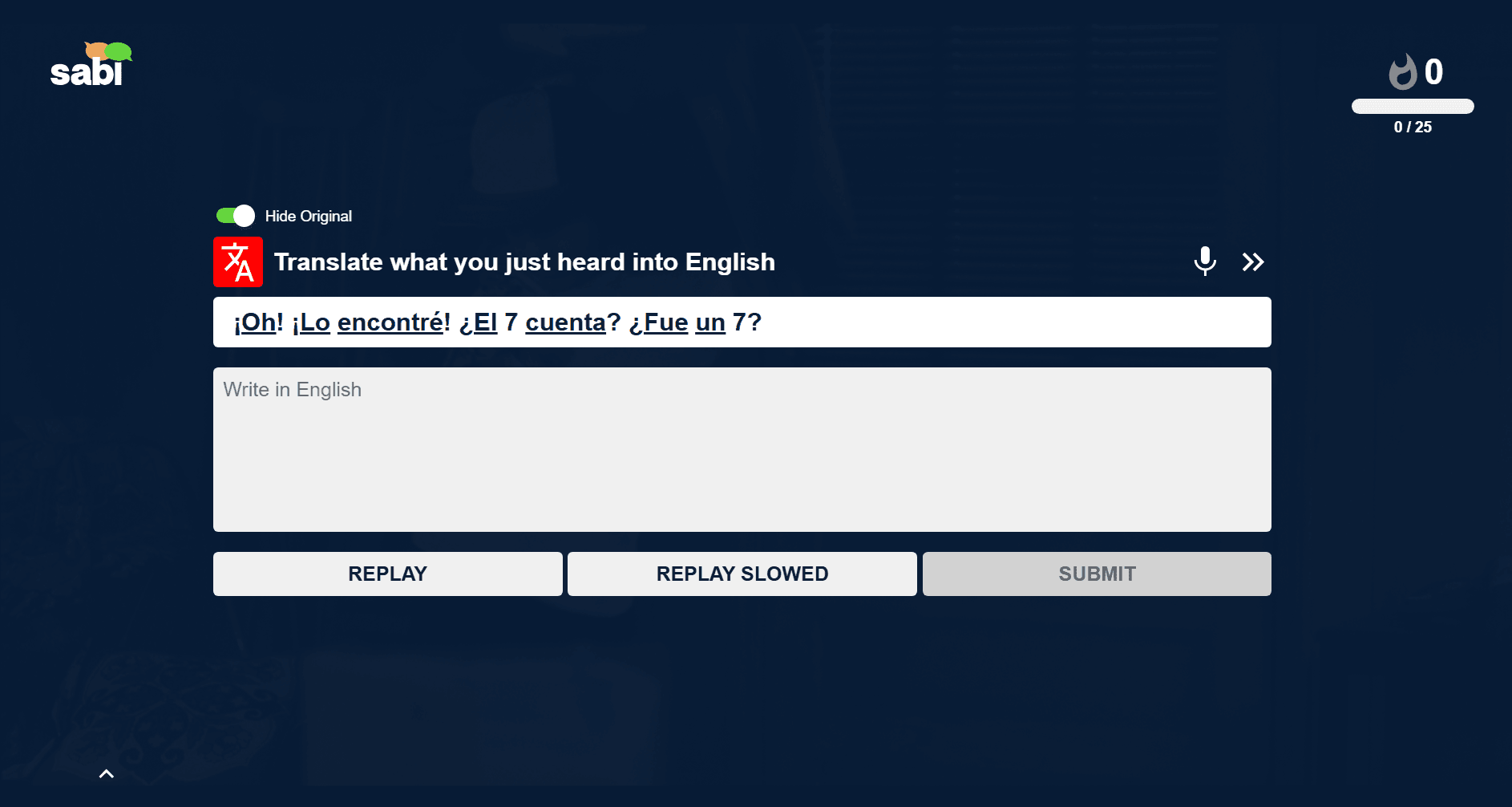
6. Practice while you watch: Sabi can test you on what you just heard with short exercises, or you can watch without them.
🛠️ What If the Language You Want Isn't There?
Netflix doesn't offer every language on every title. According to Netflix, what's available can depend on your location, your profile's language settings, the title itself and your device.
— To find titles in the language you want: Netflix lets you browse by language at netflix.com/browse/subtitles and netflix.com/browse/audio.
— If the show has audio in your target language but no matching subtitles: Sabi can create them from the audio with Whisper AI. This also fixes subtitles that don't match a dub. The daily limit for AI subtitles is 30 minutes on the free trial and 120 minutes on a paid plan. For Japanese, see how to get Japanese subtitles on Netflix.
📱 Does It Work on Phones, Tablets and TVs?
Not directly. Browser extensions need a desktop browser, so Sabi and similar tools don't work in the Netflix apps.
Device | Dual subtitles on Netflix? |
|---|---|
Windows, Mac | ✅ |
iPhone, Android phone | ❌ |
iPad, Android tablet | ❌ |
Smart TV, game console | ❌ |
Want to watch on a big screen? Connect your laptop to the TV with an HDMI cable and run Netflix in your browser. You keep the dual subtitles, and you can use the laptop's trackpad to look up words.
🆚 Which Tool Should You Use?
Several extensions add a second subtitle line to Netflix. The main differences are which other platforms they cover and what else they offer.
Feature | Sabi | Language Reactor | Trancy |
|---|---|---|---|
Netflix | ✅ | ✅ | ✅ |
YouTube | ✅ | ✅ | ✅ |
Disney+ | ✅ | ❌ | ✅ |
Prime Video | ✅ | ❌ | ❌ |
Rakuten Viki | ✅ | ❌ | ❌ |
Word Translations | ✅ | ✅ | ✅ |
In-Video Exercises | ✅ | ❌ | ❌ |
There are also smaller extensions that only add a second subtitle line. They're fine if that's all you want, but you won't get word lookups or practice.
Language Reactor is the best-known option, but it only covers Netflix and YouTube, and users report errors like "Problem fetching subs" and slow developer support. If you also watch Disney+, Prime Video or Viki, or you want in-video exercises, Sabi gives you the same setup on all of those platforms. For a wider comparison, see the best language learning Chrome extensions.
💡 How to Learn More From Dual Subtitles
Dual subtitles are easy to overuse: if you read only the line in your own language, you won't learn much. A few habits help:
— Read your target language first: Only glance at the translation when you get stuck.
— Drop the translation over time: Once you can follow most of an episode, try it with target-language subtitles only.
— Use auto-pause for hard scenes: Sabi can pause after each line, giving you time to read both lines before moving on.
For the research behind this, see what dual subtitles are and why they help. For a full routine, read our guide to learning a language with Netflix. If you're learning English, see how to learn English with Netflix.
❓ Frequently Asked Questions
Can you have two subtitles on Netflix at the same time?
Not with Netflix alone, since it shows one subtitle language at a time. A browser extension like Sabi adds a second line, so you can see both languages together on your computer.
Can you get dual subtitles on Netflix on a phone or iPad?
No. Dual subtitle extensions need a desktop browser, and the Netflix mobile apps don't support them. Use a computer instead.
Can you get dual subtitles on Netflix on a TV?
Not in the TV's Netflix app. The workaround is to connect a laptop to your TV with an HDMI cable and watch in a browser that has the extension installed.
Does Sabi work in Firefox or Safari?
Sabi doesn't work in Firefox or Safari. It works in Chrome, Edge, Brave and Opera.
How much do dual subtitles on Netflix cost?
Netflix doesn't charge for subtitles, but it doesn't offer dual subtitles. Sabi has a 7-day free trial with no payment details required, and paid plans start at €1,84 per month.

